On-Device Grammar Checker vs Cloud Checkers and Spellcheck
freetoolonline.com Editorial TeamThree common places to fix a text's grammar: a professional cloud checker, the spellcheck built into your browser or word processor, and an on-device page like the Grammar Checker - Private, In Your Browser. They are not interchangeable - each wins on a different axis, and the honest comparison is worth two minutes before you pick.
What the on-device page actually does
Everything runs in your browser on your own machine - the built-in proofreading AI where Chrome ships it, or a small open model you download once with the size shown before it starts. The output is the corrected text plus a list of each change as "from" and "to" with a short reason, and a status line names which engine produced it. Your wording is preserved: errors are fixed, tone and style are not rewritten. Nothing you paste is uploaded, nothing is kept past the session, and no account is asked for.
Against professional cloud checkers
On raw correction quality, the cloud wins - and this page says so itself. The small 1-3B on-device models catch common grammar, spelling, and punctuation errors but stay below professional cloud checkers; the page frames itself as a drafting aid, not a professional editor. Where the trade turns is what the cloud asks in return: your text travels to someone else's server, and the polished services typically sit behind an account and a subscription for the full feature set.
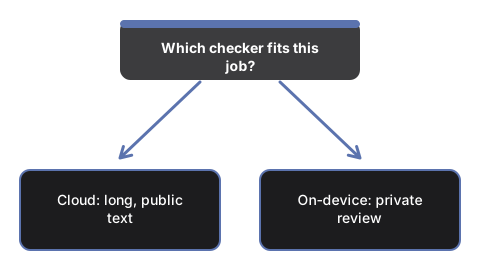
So the split falls along the text, not the tool. A confidential draft - contract language, a medical note, an unreleased announcement - is a poor thing to paste into any cloud service, whatever the quality on offer. A public blog post where every comma matters is the reverse: the professional checker earns its keep, and privacy is not in play.
Against the spellcheck you already have
Browser and word-processor spellcheck is the zero-effort baseline: it underlines misspelled words as you type, everywhere, for free. What it does not give you is a corrected copy of the whole text with the changes listed in one place - it flags, one squiggle at a time, and grammar and punctuation coverage varies widely by app. The on-device page produces the full corrected version plus the itemized change list in one pass, which is a different reading experience when a whole paragraph needs review rather than a word here and there.
The comparison in one table
| Axis | This on-device page | Professional cloud checker | Built-in spellcheck |
|---|---|---|---|
| Text leaves your machine | No, on every path | Yes, by design | No |
| Account or signup | None | Commonly required for the full features | None |
| Output shape | Corrected text plus itemized change list | Inline suggestions, style advice | Underlines as you type |
| Correction depth | Common errors; drafting-aid bound, stated on the page | Strongest available | Mostly spelling; grammar varies by app |
| Input per run | Up to 8,000 characters on the model path | Long documents supported | No practical limit |
| First-use cost | Zero download where built-in AI exists; otherwise one model download, size shown first | Signup, often payment | Nothing |
Where the honest line sits
Pick the cloud checker when the text is public anyway, longer than 8,000 characters, not in English, or when you want tone and style rewritten - this page deliberately does none of those. Corrections here are validated for English only, long input is cut to fit the model context, there is no document upload, and there is no cloud fallback quietly taking over when no engine is ready: the page shows an honest notice instead. Keep the built-in spellcheck for what it is - a live typo net while you type - and bring text here when you want a private, reviewable correction pass with every change spelled out.
Where to go from here
If this page fits the job, the walkthrough at Check Grammar On Your Device - Step by Step covers a full run control by control. For the decision cases in more depth - confidential text, repeat checks, the length boundary - see On-Device Grammar Checker - When To Use One.
Why trust these tools
- Ten-plus years of web tooling. The freetoolonline editorial team has shipped browser-based utilities since 2015. The goal has never changed: get you to a working output fast, without an install.
- No install, no sign-up. Open a tool and get a working output in seconds - nothing to download and no account to create. Tools that need heavy processing run it on our service, so even a low-powered machine gets the job done.
- Analytics stops at the page view. We measure which pages get visited, not what you type or upload inside a tool. There is nothing to sign in to and no profile is attached to your input.
- Open-source core components. The processing engines underneath (libheif, libde265, pdf-lib, terser, clean-css, ffmpeg.wasm, and others) are public and audit-able. We link to each one in its tool page's footer.
- Free, with or without ads. All tools are fully functional without sign-up. The Disable Ads button in the header is always available if you need a distraction-free run.