Check Grammar On Your Device - Step by Step
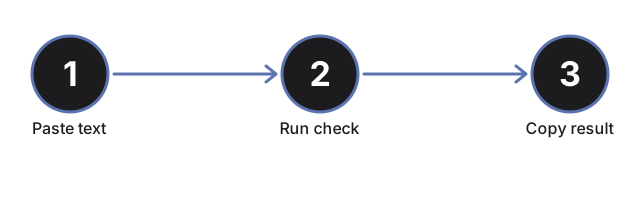
freetoolonline.com Editorial TeamA full run on the Grammar Checker - Private, In Your Browser takes about a minute once an engine is ready: paste your text, run the check, read the corrected version next to a list of every change, and copy the result. This walkthrough goes control by control, including the one-time model download and what each status message means along the way.
Step 1 - read the sample before pasting anything
When the page loads, the input box already holds a short sample text of roughly 110 words seeded with deliberate mistakes, and the output area already shows its corrected version with the full change list - labeled as corrected ahead of time. Nothing was downloaded and nothing ran to produce it; it is there so you can see the output shape first. The prepared answer appears only for that exact built-in sample: your own text never receives a canned result.
Step 2 - paste your text
Replace the sample with your own text. A live word and character count runs under the box as you type. Two boundaries apply here: corrections are validated for English text only, and on the on-device model path the input is capped at 8,000 characters - the cap is stated in the page copy, and when longer text gets cut to fit, the output label says so.
Step 3 - get an engine ready
The page checks for the browser's built-in proofreading AI first. Where Chrome ships it, the status line reports it as available and the check runs with zero download - the page feature-detects this and never assumes it is there. Everywhere else, load a small open model with one click. Llama 3.2 1B is the default, with Llama 3.2 3B and Phi 3.5 mini as upgrades, and the download size is shown next to each model BEFORE anything starts - these are downloads in the hundreds of megabytes, so the page will not begin one silently. A progress bar tracks the load, and the weights are cached by the browser afterwards, so the next visit skips the download. The model choice is shared with the Private AI Chat page through the same cache.
If your browser lacks the graphics support the models need, the page says so honestly instead of pretending - you still get the sample demo and the notice, never a fake correction.
Step 4 - run the check and read the changes
Click the check button. The corrected text streams into the output area, followed by the change list: each fix as a short line, from your original wording to the corrected one with a brief reason. The corrections preserve your wording - errors are fixed, tone and style are left alone. Under the output, the engine-status line names which path produced what you are reading: the built-in browser AI, the named on-device model, or the prepared sample demo.
Step 5 - copy the result and clean up
One click on the copy button puts the corrected text on your clipboard. Since the small models catch common errors but stay below professional cloud checkers, give anything important a final read of your own before it goes out - the change list makes that quick. When you are done with the tool for good, the "Clear cached models" button removes the downloaded weights and returns the disk space.
The numbers a run works within
| Limit | Value | Where you see it |
|---|---|---|
| Input cap, model path | 8,000 characters | Stated in the page copy; truncation reported in the output label |
| Default model | Llama 3.2 1B | Model picker, smallest first |
| Upgrade models | Llama 3.2 3B, Phi 3.5 mini | Model picker, size shown before download |
| Built-in sample | About 110 words, deliberate mistakes | Pre-filled input plus precomputed correction on load |
| Download progress | Determinate progress bar | Shown during the one-time model load |
Where to go from here
Not sure this is the right tool for a given text? The decision guide at On-Device Grammar Checker - When To Use One walks the private-text, length, and quality questions. To compare against cloud checkers and the browser's own spellcheck, see On-Device Grammar Checker vs Cloud Checkers.
Why trust these tools
- Ten-plus years of web tooling. The freetoolonline editorial team has shipped browser-based utilities since 2015. The goal has never changed: get you to a working output fast, without an install.
- No install, no sign-up. Open a tool and get a working output in seconds - nothing to download and no account to create. Tools that need heavy processing run it on our service, so even a low-powered machine gets the job done.
- Analytics stops at the page view. We measure which pages get visited, not what you type or upload inside a tool. There is nothing to sign in to and no profile is attached to your input.
- Open-source core components. The processing engines underneath (libheif, libde265, pdf-lib, terser, clean-css, ffmpeg.wasm, and others) are public and audit-able. We link to each one in its tool page's footer.
- Free, with or without ads. All tools are fully functional without sign-up. The Disable Ads button in the header is always available if you need a distraction-free run.