How to Use the Hubble Tuning Fork 3D Explorer - Step by Step
Open the Hubble Tuning Fork 3D Explorer, press an E0-E7 button or an a/b/c button to morph the specimen, toggle Normal vs Barred, and try the real-galaxy challenge to test what you have learned.
Press the E0-E7 buttons
Press E0 through E7 to watch the specimen squash from a nearly round point cloud to the most flattened shape astronomers actually observe - the facts panel shows the exact ellipticity formula behind each rung.
Press S0, then a, b, or c
Press S0 to see the lenticular transition class - a bulge and a disk with no spiral arms at all - then press a, b, or c to grow spiral arms, watching the central bulge shrink and the arms loosen from tightly-wound to loosely-wound.
Toggle Normal spiral vs Barred spiral
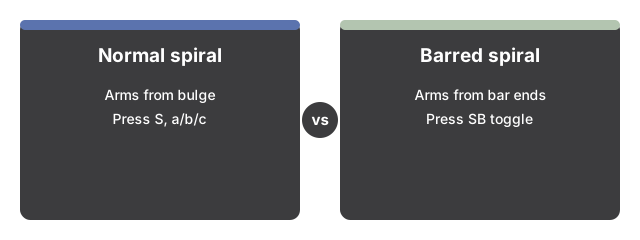
Press "Barred spiral (SB)" to add the central bar and watch the spiral arms spring from the bar's ends instead of the bulge; press "Normal spiral (S)" to remove it. The toggle only changes anything once you are on S0 or a/b/c.
Press "Walk the fork"
Press "Walk the fork" to auto-step through all twelve rungs back and forth hands-free, or press it again to pause and take control with the buttons.
Show irregulars, beyond the fork
Press "Show irregulars (beyond the fork)" to reveal a lumpy shape off to the side - the class Hubble deliberately left out of his diagram entirely.
Try the real-galaxy challenge
Press "Real-galaxy challenge" to get a clue about a real, named galaxy. Set your own guess with the E0-E7/S0/a-b-c buttons and the Normal/Barred toggle, then press "Reveal" to see its real classification and the sourced fact behind it.
Drag to orbit and use fullscreen
Drag to orbit the camera, scroll or pinch to zoom, and use the Fullscreen button to expand the whole wrapper for a clearer view.
Next: see when to use this explorer or how it compares to the Galaxy 3D Simulator.
Why trust these tools
- Ten-plus years of web tooling. The freetoolonline editorial team has shipped browser-based utilities since 2015. The goal has never changed: get you to a working output fast, without an install.
- No install, no sign-up. Open a tool and get a working output in seconds - nothing to download and no account to create. Tools that need heavy processing run it on our service, so even a low-powered machine gets the job done.
- Analytics stops at the page view. We measure which pages get visited, not what you type or upload inside a tool. There is nothing to sign in to and no profile is attached to your input.
- Open-source core components. The processing engines underneath (libheif, libde265, pdf-lib, terser, clean-css, ffmpeg.wasm, and others) are public and audit-able. We link to each one in its tool page's footer.
- Free, with or without ads. All tools are fully functional without sign-up. The Disable Ads button in the header is always available if you need a distraction-free run.