How to Use the Rosetta + Philae 67P 3D Explorer - Step by Step
Open the Rosetta + Philae 67P 3D Explorer, press Play or drag the mission-progress slider, then read the facts panel to see the real published date and figures at each mission milestone.
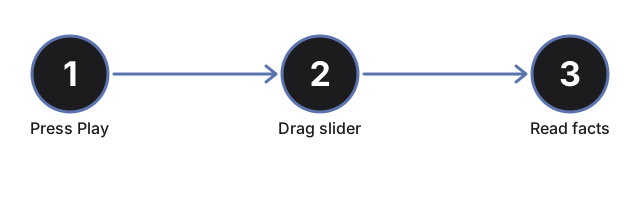
Press Play or drag the progress slider
Press #t3dRpPlayBtn to auto-advance Rosetta and Philae along the real 2004-2016 mission timeline, or drag #t3dRpProgress (0 to 100) to jump straight to any point. Dragging the slider pauses auto-play.
Read the milestone table
The facts panel lists all 7 real mission milestones - launch, orbit insertion, Philae's separation and first touchdown, its final rest site, perihelion, and mission end - with the currently active one highlighted. Scrub the slider and watch the highlighted row change.
Watch Philae separate, descend, and bounce
Between about 40% and 55% progress, the Philae lander visibly detaches from Rosetta, descends to the comet's small lobe, and bounces along an arc from the first touchdown site to its final resting site - the real story of the harpoons failing to fire on November 12, 2014.
Watch for the perihelion jets
Scrub to around 70-82% progress to reach the comet's closest approach to the Sun on August 13, 2015. Particle jets appear near the nucleus, and a note explains the real increase in outgassing activity at that point in the orbit.
Click the comet, Rosetta, or Philae
Click any of the three objects in the scene to refresh the facts panel with the current milestone without moving the slider.
Drag to orbit and use fullscreen
Drag to orbit the camera, scroll or pinch to zoom, and use the Fullscreen button to expand the whole wrapper for a clearer view of the two-lobed nucleus and the landing sites.
Next: see when to use this explorer or how it compares to the Hayabusa2 Ryugu Sample Return 3D Explorer.
Why trust these tools
- Ten-plus years of web tooling. The freetoolonline editorial team has shipped browser-based utilities since 2015. The goal has never changed: get you to a working output fast, without an install.
- No install, no sign-up. Open a tool and get a working output in seconds - nothing to download and no account to create. Tools that need heavy processing run it on our service, so even a low-powered machine gets the job done.
- Analytics stops at the page view. We measure which pages get visited, not what you type or upload inside a tool. There is nothing to sign in to and no profile is attached to your input.
- Open-source core components. The processing engines underneath (libheif, libde265, pdf-lib, terser, clean-css, ffmpeg.wasm, and others) are public and audit-able. We link to each one in its tool page's footer.
- Free, with or without ads. All tools are fully functional without sign-up. The Disable Ads button in the header is always available if you need a distraction-free run.