Png To Webp Converter Vs Alternatives
PNG to WebP Converter is one of three common ways to convert PNG images to WebP: a browser-based tool like this one, a desktop application, or an upload-based online service. Each trades off differently on where your file goes and what you need installed.
How PNG to WebP Converter compares
The comparison below weighs the PNG to WebP Converter against a desktop application and an upload-based online service.
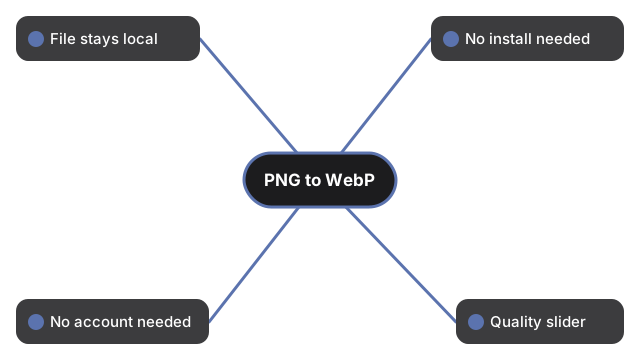
| Aspect | PNG to WebP Converter (this tool) | Desktop application | Upload-based online service |
|---|---|---|---|
| Where your file goes | Stays on this device - processed via Canvas API | Stays on this device | Uploaded to a server |
| Install required | No | Yes | No |
| Works without an account | Yes | Yes | Varies by service |
| Quality slider available | Yes, when the browser supports it | Usually yes | Varies by service |
When to pick PNG to WebP Converter
Pick PNG to WebP Converter for a one-off conversion when you do not want to install anything and the file stays on your device. The Canvas API processes the image locally - nothing is uploaded or stored beyond the page session.
Pick a desktop tool when you need to convert many files in a batch or need offline access. Pick an upload-based service if it is already part of a processing pipeline you run.
Typical use: when your downstream platform accepts WEBP but not PNG.
Output sizing and quality are controlled by the option fields above the file picker; defaults match the most common downstream use.
For the exact steps, see PNG to WebP Converter step by step.
Not sure which approach fits? See PNG to WebP Converter - when to use.
Why trust these tools
- Ten-plus years of web tooling. The freetoolonline editorial team has shipped browser-based utilities since 2015. The goal has never changed: get you to a working output fast, without an install.
- No install, no sign-up. Open a tool and get a working output in seconds - nothing to download and no account to create. Tools that need heavy processing run it on our service, so even a low-powered machine gets the job done.
- Analytics stops at the page view. We measure which pages get visited, not what you type or upload inside a tool. There is nothing to sign in to and no profile is attached to your input.
- Open-source core components. The processing engines underneath (libheif, libde265, pdf-lib, terser, clean-css, ffmpeg.wasm, and others) are public and audit-able. We link to each one in its tool page's footer.
- Free, with or without ads. All tools are fully functional without sign-up. The Disable Ads button in the header is always available if you need a distraction-free run.