How to Use the Sputnik Planitia 3D Explorer - Step by Step
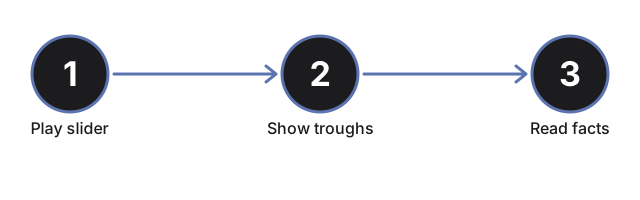
Open the Sputnik Planitia 3D Explorer, drag or play the convective-cycle slider, then read the facts panel for the real published cell dimensions and overturn timescale.
Drag or play the convective-cycle slider
Drag the convective-cycle slider (0 to 100%) to jump straight to any point in the overturn, or press "Play / Pause Cycle" to auto-advance through a full lap. Dragging the slider pauses auto-play.
Watch cells rise and sink
As the cycle position advances, each hexagonal cell's center rises and brightens, then falls back and darkens at its edges - the bright centers are fresh nitrogen ice pushing up, the darker edges are where older ice sinks back down into the narrow troughs.
Highlight the troughs
Press "Highlight troughs" to brighten the dark boundary lines between cells so the trough network stands out clearly against the cell interiors.
Read the facts panel
The facts panel shows the current cycle position and its equivalent elapsed years out of the real, published ~500,000-year overturn timescale, plus the real cell width, surface temperature, layer thickness, and creep rate.
Drag to orbit and use fullscreen
Drag to orbit the camera, scroll or pinch to zoom, and use the Fullscreen button to expand the whole wrapper for a clearer view of the tiled patch.
Next: see when to use this explorer or how it compares to a New Horizons mission page.
Why trust these tools
- Ten-plus years of web tooling. The freetoolonline editorial team has shipped browser-based utilities since 2015. The goal has never changed: get you to a working output fast, without an install.
- No install, no sign-up. Open a tool and get a working output in seconds - nothing to download and no account to create. Tools that need heavy processing run it on our service, so even a low-powered machine gets the job done.
- Analytics stops at the page view. We measure which pages get visited, not what you type or upload inside a tool. There is nothing to sign in to and no profile is attached to your input.
- Open-source core components. The processing engines underneath (libheif, libde265, pdf-lib, terser, clean-css, ffmpeg.wasm, and others) are public and audit-able. We link to each one in its tool page's footer.
- Free, with or without ads. All tools are fully functional without sign-up. The Disable Ads button in the header is always available if you need a distraction-free run.