Dice Roller Online: Step-by-Step Guide
The Dice Roller Online tool rolls one or more six-sided dice with a fair, browser-based random result. This guide covers how to set the dice count, what the face symbols and total mean, and how the roll differs from the site's other random-pick tools.
freetoolonline.com Editorial TeamSetting the dice count
One number field controls how many dice are rolled: a count from 1 to 10, with 2 as the default when the page loads. Type a new value into the field and click Roll to apply it - the field does not roll automatically when you change it, only when Roll is clicked or the page first loads.
Rolling and reading the result
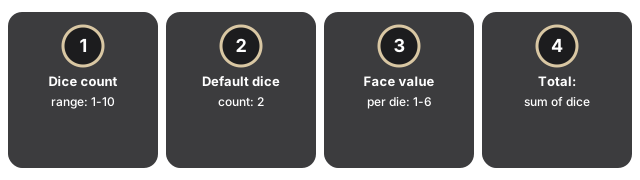
Rolling and reading the result on Dice Roller Online: click Roll and each die shows a face from one to six pips, with the sum of every die listed beside the faces so you can read a single-die check or a multi-die total in one glance.
| Setting | Range / value | Notes |
|---|---|---|
| Dice count | 1-10 | Set in the number field above the Roll button |
| Default dice count | 2 | Shown on page load, before you change anything |
| Face value per die | 1-6 | Shown as a unicode die-face symbol, one pip through six pips |
| Total | Sum of all dice | Recalculated on every roll |
How the roll is chosen
Each die's result comes from your browser's crypto.getRandomValues, the same fairness source used by the site's other random-pick tools, so every face from one to six has an equal one-in-six chance on every roll, independent of the dice count or any previous roll. Everything runs locally in the page - there is no server round-trip while you roll.
Dice roller vs. the other random-pick tools
The dice roller rolls a fixed one-to-six value per die, which is what a physical die gives you. The companion wheel spinner instead picks a winner from a list of names or options you type in - use the wheel spinner when you need to choose between specific items, and the dice roller when you need a plain numeric result the way a tabletop game expects.
Common uses
Common uses for Dice Roller Online include board-game and tabletop RPG checks, settling a quick decision without a coin, classroom demos of fair 1-6 draws, and any roll you want in the browser without physical dice.
What this tool does not do
What this tool does not do: Dice Roller Online is a 1-6 per-die roller that does not keep a roll history, does not support custom face counts beyond six, and does not replace a cryptographic lottery or Min-to-Max number picker.
Privacy
Privacy for Dice Roller Online means every roll runs in your browser tab: nothing is uploaded, no account is required, and the page makes no server round-trip while you roll.
Companion tools
- Dice Roller Online - the tool itself.
- Wheel Spinner Online - picks a random winner from a list of names or options instead of a number.
- Countdown Timer Online and Stopwatch Online - useful for timing the activity a roll just decided.
- Random Number Picker - picks a custom Min-to-Max number instead of a fixed 1-6 die face; the step-by-step guide covers setting the range.
- Utility tools hub - the rest of the everyday conversion and generator tools on this site.
Frequently asked questions
Is every die face equally likely?
Yes. Each die's result is chosen with crypto.getRandomValues, so every face from one to six has an equal one-in-six chance on every roll.
How many dice can I roll at once?
From 1 to 10 - set the count in the number field, then click Roll. The default on page load is 2.
Is my roll history saved?
No. Only the current roll is shown - refreshing or leaving the page clears it, and nothing is uploaded or stored on a server.
Can I roll dice other than six-sided?
Not with this tool - it rolls standard six-sided dice only (no d4, d8, d12, or d20 option).
Why trust these tools
- Ten-plus years of web tooling. The freetoolonline editorial team has shipped browser-based utilities since 2015. The goal has never changed: get you to a working output fast, without an install.
- No install, no sign-up. Open a tool and get a working output in seconds - nothing to download and no account to create. Tools that need heavy processing run it on our service, so even a low-powered machine gets the job done.
- Analytics stops at the page view. We measure which pages get visited, not what you type or upload inside a tool. There is nothing to sign in to and no profile is attached to your input.
- Open-source core components. The processing engines underneath (libheif, libde265, pdf-lib, terser, clean-css, ffmpeg.wasm, and others) are public and audit-able. We link to each one in its tool page's footer.
- Free, with or without ads. All tools are fully functional without sign-up. The Disable Ads button in the header is always available if you need a distraction-free run.