How to Use Titan's Methane Weather Cycle 3D Explorer - Step by Step
Open the Titan's Methane Weather Cycle 3D Explorer, drag the season slider or press Auto-play, then watch the cloud band migrate and rain fall as Titan moves through a compressed year.
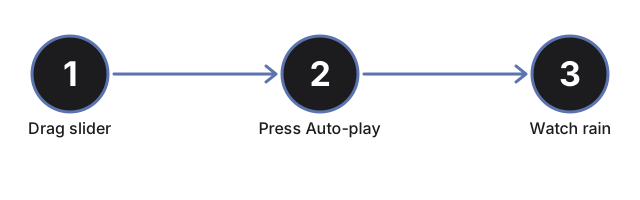
Drag the season slider
Drag the season slider from 0 to 100 to move through a compressed Titan year. Dragging pauses Auto-play so you control the pace directly.
Press Auto-play
Press Auto-play to let the season advance on its own and loop continuously, so you can watch a full cycle without touching the slider.
Watch the cloud band migrate
Watch the ring of cloud puffs migrate in latitude as the season changes, echoing how Cassini observed Titan's cloud activity shift between hemispheres across the moon's seasons.
Watch rain fall near storm peaks
Watch for two mild storm peaks per compressed year, when rain particles spawn near the cloud band and fall toward the surface before fading - standing in for evaporation restarting the cycle.
Read the facts panel
Read the facts panel for the current cycle state (dry, light showers, or active rain) plus published atmosphere, pressure, temperature, Titan-year-length, and Kraken Mare figures.
Orbit and zoom
Drag on the scene to orbit the camera, and scroll or pinch to zoom in on the cloud band or the polar sea patches.
Next: see when to use this explorer or how it compares to the Titan Methane Lakes explorer.
Why trust these tools
- Ten-plus years of web tooling. The freetoolonline editorial team has shipped browser-based utilities since 2015. The goal has never changed: get you to a working output fast, without an install.
- No install, no sign-up. Open a tool and get a working output in seconds - nothing to download and no account to create. Tools that need heavy processing run it on our service, so even a low-powered machine gets the job done.
- Analytics stops at the page view. We measure which pages get visited, not what you type or upload inside a tool. There is nothing to sign in to and no profile is attached to your input.
- Open-source core components. The processing engines underneath (libheif, libde265, pdf-lib, terser, clean-css, ffmpeg.wasm, and others) are public and audit-able. We link to each one in its tool page's footer.
- Free, with or without ads. All tools are fully functional without sign-up. The Disable Ads button in the header is always available if you need a distraction-free run.