How to Make a To-Do List Online - Free and No Sign-Up
A to-do list tool keeps a simple checklist right in your browser. Type a task and press Enter or click Add, tick items off as you finish them, and delete the ones you no longer need. The list saves locally, so it is still there after you reload the page - no app install and no sign-up.
Last reviewed: 2026-06-15
| Property | Value |
|---|---|
| Format | Online, no install, no sign-up |
| Cost | Free |
| Implementing tool | https://freetoolonline.com/utility-tools/todo-list.html |
Steps
Steps are open the to-do list tool, type an item, press Enter, then check items off as you finish - on How to Make a Todo List Online the list stays in the browser until you clear it.
- Open the tool and type your first task in the input box.
- Press Enter or click Add to put it on the list.
- Tick the checkbox next to a task when you finish it; it shows as done.
- Use the Delete button to remove a task you no longer need.
Where your list is saved
The list lives in your browser's local storage, so it is still there when you reload the page or come back later on the same device and browser. Nothing is uploaded and there is no account to create. Clearing this site's browser data removes the list.
| Question | Answer |
|---|---|
| Where is the list stored | This browser's local storage |
| Survives a page reload | Yes |
| Sign-up or install needed | None |
| Typical local storage budget per site | About 5 MB |
When to use it
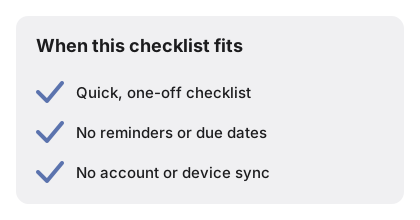
When to use it is a quick checklist without an install or sign-in - on How to Make a Todo List Online it fits shopping, packing, or the day's tasks with a live remaining count.
Details a quick answer leaves out
A short summary covers the basics; a few behaviors are easy to miss until you hit them. Empty entries are rejected on purpose - press Enter on a blank box and a brief inline message appears instead of a blank row, so the list never fills with stray placeholders. New tasks land at the top of the list rather than the bottom, which keeps the item you just added in view instead of pushing it beneath a long backlog. Ticking a task's checkbox does not remove it - it draws a line through the text and keeps it on the list as a visible done item, so you can see what you have already cleared; the delete button is the only thing that takes a row off for good. A running count beside the list tracks how many items are still open, so "four left" is visible at a glance without recounting the rows.