Cara Main Retro Arcade Shooter - Langkah demi Langkah
Halaman Retro Arcade Shooter memuat Underrun di iframe (~120 KB). Bersihkan fasilitas: WASD gerak, mouse bidik, tahan klik tembak, reboot setiap CPU di tiga level. Tekan Play.
Langkah 1 - tekan Play
Play menyuntik iframe (kode Underrun + peta PNG). Underrun oleh Dominic Szablewski (MIT); musik Andreas Loesch; LICENSE di samping.
Langkah 2 - audio dan level 1
Klik canvas untuk buka audio (Sonant-X sintesis di tab). Teks boot; lalu level 1.
Langkah 3 - gerak dan tembak
WASD atau panah. Mouse bidik. Tahan klik kiri (plasma dengan cooldown). Laba-laba melee; menara tembak. Ambil health pack.
Langkah 4 - reboot CPU
Reboot setiap CPU level untuk buka pintu. Tiga level. Mati = level reload ~3s.
Langkah 5 - yang tidak ada
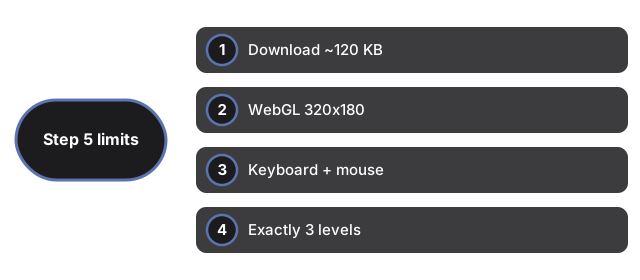
Tanpa save, skor, akun. Tanpa sentuh atau gamepad. Satu senjata. Sudut top-down miring, bukan FPS (Retro FPS Online).
| Item | Nilai | Catatan |
|---|---|---|
| Unduhan | ~120 KB | Iframe same-origin |
| Renderer | WebGL 320x180 | Butuh WebGL |
| Input | Keyboard + mouse | Tanpa sentuh |
| Level | 3 | Peta PNG |
| Save | Tidak ada | Tanpa storage |
Lihat kapan main, perbandingan, dan Chili Blast Shooter.
Why trust these tools
- Ten-plus years of web tooling. The freetoolonline editorial team has shipped browser-based utilities since 2015. The goal has never changed: get you to a working output fast, without an install.
- No install, no sign-up. Open a tool and get a working output in seconds - nothing to download and no account to create. Tools that need heavy processing run it on our service, so even a low-powered machine gets the job done.
- Analytics stops at the page view. We measure which pages get visited, not what you type or upload inside a tool. There is nothing to sign in to and no profile is attached to your input.
- Open-source core components. The processing engines underneath (libheif, libde265, pdf-lib, terser, clean-css, ffmpeg.wasm, and others) are public and audit-able. We link to each one in its tool page's footer.
- Free, with or without ads. All tools are fully functional without sign-up. The Disable Ads button in the header is always available if you need a distraction-free run.