Initializing, please wait a moment
Cara Main Retro FPS Online - Langkah demi Langkah
Halaman Retro FPS Online menjalankan Freedoom lengkap di WebAssembly. Pilih kampanye, tunggu unduhan sekali, main dan simpan di browser ini. Ekspor .ftolfps untuk memindah progres ke PC lain.
Langkah 1 - lihat kartu
Kampanye 1 (36 level), Kampanye 2 (32 level), dan Import muncul segera. Nol jaringan sampai klik.
Langkah 2 - klik satu kampanye
Unduhan sekali masuk IndexedDB. Tidak ada fetch sebelum klik ini.
Langkah 3 - layar judul
Setelah unduh, menu game. Kunjungan berikutnya dari IndexedDB dan bisa offline.
Langkah 4 - simpan dan ekspor
Esc membuka Save/Load. Export membuat .ftolfps; Import di PC lain memvalidasi versi engine.
Langkah 5 - batas
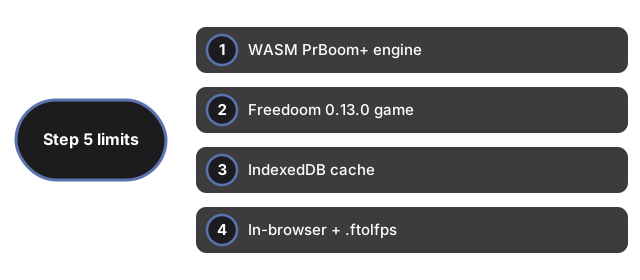
Ganti kampanye memuat ulang halaman. Tanpa multiplayer atau akun. Ponsel hanya sentuh bukan target. Hapus data situs menghapus cache dan save.
| Item | Nilai | Catatan |
|---|---|---|
| Engine | WASM | Keluarga PrBoom+ |
| Game | Freedoom 0.13.0 | Lisensi bebas |
| Cache | IndexedDB | Per versi engine |
| Save | Browser + .ftolfps | Export/Import |
| Input | Keyboard + mouse | Fokus di layar |
Lihat kapan main, perbandingan, dan Retro Arcade Shooter.
Why trust these tools
- Ten-plus years of web tooling. The freetoolonline editorial team has shipped browser-based utilities since 2015. The goal has never changed: get you to a working output fast, without an install.
- No install, no sign-up. Open a tool and get a working output in seconds - nothing to download and no account to create. Tools that need heavy processing run it on our service, so even a low-powered machine gets the job done.
- Analytics stops at the page view. We measure which pages get visited, not what you type or upload inside a tool. There is nothing to sign in to and no profile is attached to your input.
- Open-source core components. The processing engines underneath (libheif, libde265, pdf-lib, terser, clean-css, ffmpeg.wasm, and others) are public and audit-able. We link to each one in its tool page's footer.
- Free, with or without ads. All tools are fully functional without sign-up. The Disable Ads button in the header is always available if you need a distraction-free run.