Medieval Wall Defense vs Garden Defense, Pixel Pipeline Reflex, dan Incremental Terinstal
Bandingkan Medieval Wall Defense dengan Garden Defense dan Pixel Pipeline Reflex di situs ini dan app incremental tower defense terinstal.
| Opsi | Ukuran / instal | Sesi tipikal | Kontrol | Simpan |
|---|---|---|---|---|
| Medieval Wall Defense (browser) | ~631 KB, 0 MB instal | 30-120+ menit run incremental | Klik/tap + 1-4, Spasi, R, Q, M, Esc | localStorage ftol:medievalwalldefense:castle* |
| Garden Defense di situs | ~0 MB, canvas inline | 5-15 menit, 5 gelombang tetap | Klik/tap grid + kartu | localStorage ftol-game-garden-defense |
| Pixel Pipeline Reflex di situs | ~48 KB modul ES, 0 MB | 1-3 menit ronde refleks | Tombol 1-4 + tap/klik | localStorage ftol:pixelpipelinereflex:* |
| Incremental TD terinstal | 50-500+ MB + toko | Jam di kampanye | Sentuh dulu, sering gamepad | Akun, cloud, IAP |
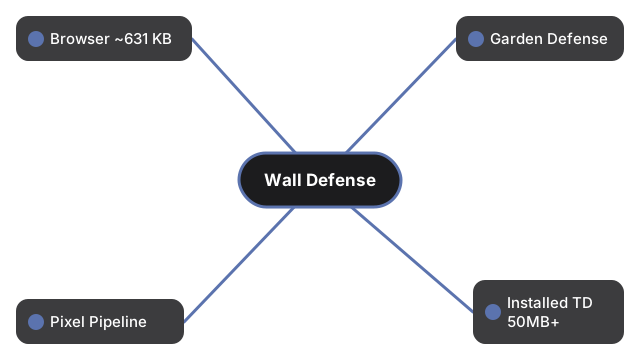
Pilih Medieval Wall Defense untuk incremental terdalam di browser di sini. Pilih Garden Defense untuk lima gelombang di bawah lima belas menit. Pilih Pixel Pipeline Reflex untuk payload terkecil dan refleks tercepat. Pilih incremental terinstal untuk cloud save dan event - dengan puluhan hingga ratusan MB dan login.
Ringkasan numerik: jika ukuran prioritas, Pixel Pipeline Reflex menang dengan ~48 KB. Jika kedalaman sesi prioritas, Medieval Wall Defense menang dengan 30-120+ menit per run dan meta prestige. Jika ingin kurva nol dan akhir tetap, Garden Defense menang dengan tepat 5 gelombang. App incremental terinstal hanya menang saat cloud sync dan live ops lebih penting dari trade-off browser.
Tumpang tindih kontrol: ketiga game browser menerima klik/tap, tapi hanya Medieval Wall Defense menambah lapisan keyboard penuh (1-4 skill, Spasi, R, Q, M, Esc). Garden Defense hanya grid dan kartu; Pixel Pipeline Reflex memetakan empat tahap ke 1-4. Pilih skema yang cocok dengan perangkat untuk sesi itu.
Kontrol: panduan langkah demi langkah. Kapan main: kapan main di browser. Lihat juga Garden Defense dan Pixel Pipeline Reflex.
Why trust these tools
- Ten-plus years of web tooling. The freetoolonline editorial team has shipped browser-based utilities since 2015. The goal has never changed: get you to a working output fast, without an install.
- No install, no sign-up. Open a tool and get a working output in seconds - nothing to download and no account to create. Tools that need heavy processing run it on our service, so even a low-powered machine gets the job done.
- Analytics stops at the page view. We measure which pages get visited, not what you type or upload inside a tool. There is nothing to sign in to and no profile is attached to your input.
- Open-source core components. The processing engines underneath (libheif, libde265, pdf-lib, terser, clean-css, ffmpeg.wasm, and others) are public and audit-able. We link to each one in its tool page's footer.
- Free, with or without ads. All tools are fully functional without sign-up. The Disable Ads button in the header is always available if you need a distraction-free run.