Cara Bermain Medieval Wall Defense - Langkah demi Langkah
Medieval Wall Defense memuat game incremental pertahanan dinding ~631 KB satu file di iframe. Anda jaga tembok kastil dari gelombang, habiskan emas untuk hero, kumpulkan Research Points saat mengakhiri run, dan belanjakan Crowns untuk bonus prestige permanen.
Langkah 1 - mulai dari layar judul
Tekan Play di halaman game, lalu Start di overlay internal. Tutorial singkat bisa menunjukkan hero pertama - tutup dengan Esc atau selesaikan. Game diadaptasi dari proyek open-source Crownfall (lisensi MIT); kredit ada di samping file game.
Langkah 2 - tempatkan hero dan baca HUD gelombang
Klik/tap tile kosong untuk merekrut hero dari panel samping. Setiap tipe punya jangkauan, damage, dan upgrade berbeda - pemanah, mage, dan support saling sinergi saat gelombang naik. Emas dari kill membiayai rekrut lebih banyak. Target sentuh di skill bar dan panel ramah ponsel.
Langkah 3 - cast skill dengan 1-4 atau tap
Slot skill terbuka lewat riset dan prestige. Tombol 1-4 atau tombol layar untuk arm skill, lalu klik lapangan untuk target. Esc batal tanpa menembak. Cooldown tampil di bar - timing boss lebih penting dari spam mob lemah.
Langkah 4 - jeda, riset, dan akhiri run
Spasi toggle jeda dan buka stat run. R buka buku riset untuk habiskan Research Points pada node permanen - damage, ekonomi, slot, auto-beli, dan lainnya. Q akhiri run lebih awal; konfirmasi, simpan RP yang diperoleh, kembali ke layar riset.
Langkah 5 - prestige Crowns dan pengaturan
Saat run berakhir atau jeda, belanjakan Crowns di pohon prestige - start lebih cepat, hero lebih kuat, RP offline, dan ancestry. M toggle bisu; volume tersimpan di ftol:medievalwalldefense:castleMuted. Pengaturan mencakup kecepatan, reduced motion, auto-prestige, dan pengingat backup.
Langkah 6 - offline dan simpan lokal
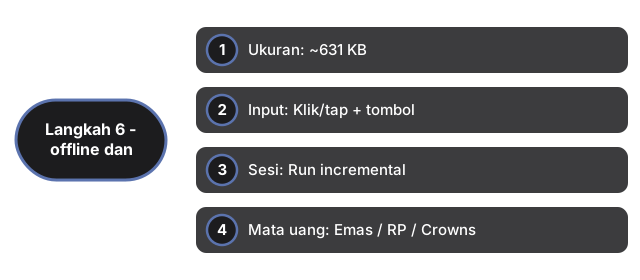
Menutup tab tetap menghasilkan RP offline - game melacak waktu dan rate di ftol:medievalwalldefense:castleLastCloseAt dan castleOfflineRpRate. Semua progres - Crowns, riset, commanders, skor harian, stats - tetap di browser via ftol:medievalwalldefense:castle*. Tanpa akun, tanpa cloud, 0 panggilan server.
| Pengaturan | Nilai | Catatan |
|---|---|---|
| Ukuran | ~631 KB | index.html satu file di iframe |
| Input | Klik/tap + tombol | 1-4 skill; Spasi jeda; R riset; Q akhiri; M bisu; Esc tutup |
| Sesi | Run incremental | Ratusan gelombang lewat loop prestige |
| Mata uang | Emas / RP / Crowns | Emas in-run; RP saat Q; Crowns prestige |
| Simpan | localStorage | Kunci: ftol:medievalwalldefense:castle* |
| Server | 0 | Sepenuhnya client-side |
Lihat kapan main di browser, perbandingan game lain, Garden Defense, dan Pixel Pipeline Reflex di situs ini.
Why trust these tools
- Ten-plus years of web tooling. The freetoolonline editorial team has shipped browser-based utilities since 2015. The goal has never changed: get you to a working output fast, without an install.
- No install, no sign-up. Open a tool and get a working output in seconds - nothing to download and no account to create. Tools that need heavy processing run it on our service, so even a low-powered machine gets the job done.
- Analytics stops at the page view. We measure which pages get visited, not what you type or upload inside a tool. There is nothing to sign in to and no profile is attached to your input.
- Open-source core components. The processing engines underneath (libheif, libde265, pdf-lib, terser, clean-css, ffmpeg.wasm, and others) are public and audit-able. We link to each one in its tool page's footer.
- Free, with or without ads. All tools are fully functional without sign-up. The Disable Ads button in the header is always available if you need a distraction-free run.