Cách chơi Cyber Slide Puzzle - Từng bước
Trang Cyber Slide Puzzle tải trò chơi trượt ô (n-puzzle) ~11 KB trong iframe. Bạn xáo trộn các ô có số, trượt chúng vào ô trống, và giải bảng 3x3, 4x4 hoặc 5x5 trong khi số bước và thời gian được theo dõi.
Bước 1 - nhấn Play và chọn kích thước lưới
Nhấn Play trên trang game để tải iframe. Dùng dropdown độ khó để chọn 3x3 Dễ, 4x4 Cổ điển (mặc định) hoặc 5x5 Khó. Thay đổi độ khó sẽ xáo trộn tự động.
Bước 2 - xáo trộn và đọc HUD
Nhấn Shuffle để xáo trộn bảng với cấu hình đảm bảo giải được. Theo dõi Moves và Time trên thanh thống kê; Best hiển thị kỷ lục của bạn theo kích thước lưới hiện tại nếu đã lưu.
Bước 3 - trượt ô bằng click hoặc chạm
Chỉ các ô cạnh ô trống mới di chuyển được. Click hoặc chạm vào ô kề để trượt vào khoảng trống. Bộ đếm bước bắt đầu ở lần trượt đầu tiên; đồng hồ chạy mỗi giây sau đó.
Bước 4 - thắng, lưu thời gian tốt nhất, chơi lại
Khi tất cả số theo đúng thứ tự, màn hình thắng hiển thị số bước và thời gian đã dùng. Giải nhanh hơn sẽ cập nhật Best theo kích thước lưới đó vào ftol:cyberslidepuzzle:best. Play Again đóng màn hình thắng và xáo trộn bảng mới. Không cần tài khoản, không đồng bộ đám mây, không gọi server trong khi chơi.
| Cài đặt | Giá trị | Ghi chú |
|---|---|---|
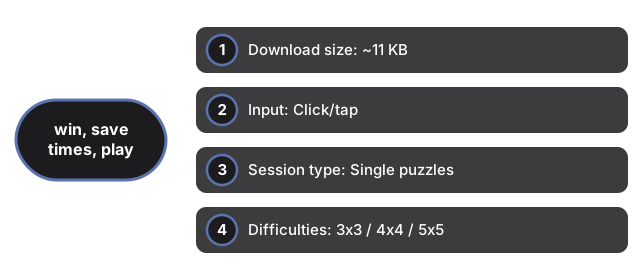
| Kích thước tải | ~11 KB | HTML + CSS + JS trong iframe cùng nguồn |
| Đầu vào | Click/chạm | Chỉ ô cạnh ô trống |
| Loại phiên | Ô đơn lẻ | Thường 1-10 phút mỗi bảng |
| Độ khó | 3x3 / 4x4 / 5x5 | Dropdown xáo trộn khi thay đổi |
| Lưu | localStorage | Key: ftol:cyberslidepuzzle:best |
| Gọi server | 0 | Chạy hoàn toàn phía client |
Xem khi nào chơi trên trình duyệt, so sánh với game khác, Marble Maze, và Hex Puzzle Blocks trên site này.
Why trust these tools
- Ten-plus years of web tooling. The freetoolonline editorial team has shipped browser-based utilities since 2015. The goal has never changed: get you to a working output fast, without an install.
- No install, no sign-up. Open a tool and get a working output in seconds - nothing to download and no account to create. Tools that need heavy processing run it on our service, so even a low-powered machine gets the job done.
- Analytics stops at the page view. We measure which pages get visited, not what you type or upload inside a tool. There is nothing to sign in to and no profile is attached to your input.
- Open-source core components. The processing engines underneath (libheif, libde265, pdf-lib, terser, clean-css, ffmpeg.wasm, and others) are public and audit-able. We link to each one in its tool page's footer.
- Free, with or without ads. All tools are fully functional without sign-up. The Disable Ads button in the header is always available if you need a distraction-free run.