Pixel Pipeline Reflex spielen - Schritt fuer Schritt
Der Pixel Pipeline Reflex laedt ein ~48-KB-Reflexspiel als ES-Module in Ihrem Tab. Treffen Sie Fetch-, FIFO-, Mix- und Light-Stufen mit Tasten 1-4, Taps oder Klicks, bevor der Scan-Strahl ablaeuft.
Schritt 1 - Frame starten
Play auf der Seite druecken, dann Start frame im Spiel oder Enter/Leertaste. Waehlen Sie Chill, Arcade (Standard) oder Meltdown - jedes aendert Frame-Ziel, Glitch-Limit, Strahlgeschwindigkeit und Gesamtzeit.
Schritt 2 - naechste Stufe lesen und den Strahl schlagen
Achten Sie auf Next stage und die Pixel-Warteschlange. Ein Scan-Strahl wandert ueber die Canvas - druecken Sie die Taste der leuchtenden Stufe (1 Fetch, 2 FIFO, 3 Mix, 4 Light), tippen oder klicken Sie rechtzeitig.
Schritt 3 - Frames stabilisieren ohne Glitches
Gewinnen Sie durch Stabilisieren des Ziels: 10 bei Chill, 12 bei Arcade, 14 bei Meltdown. Falsche Eingaben und Timeouts zaehlen als Glitches; ueberschreiten Sie das Limit (6/5/4) und der Lauf endet.
Schritt 4 - Combos und Seeds
Richtige Treffer in Folge erhoehen den Combo-Multiplikator. Der Daily Seed nutzt das Shanghai-Datum; Custom Seeds per ?seed= in der URL oder im Seitenfeld. Link kopieren, um dieselbe Challenge zu teilen.
Schritt 5 - Sound, Pause und lokale Bestwerte
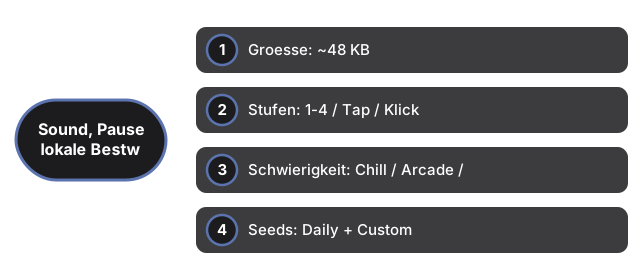
Sound ist optional und standardmaessig aus - umschalten mit dem Sound-Button (gespeichert unter ftol:pixelpipelinereflex:sound-enabled). P zum Pausieren. Bester Score pro Seed und Schwierigkeit wird unter ftol:pixelpipelinereflex:{seed}:{difficulty} gespeichert.
| Einstellung | Wert | Hinweis |
|---|---|---|
| Groesse | ~48 KB | ES-Module (game.js + app.js) im iframe |
| Stufen | 1-4 / Tap / Klick | Fetch, FIFO, Mix, Light |
| Schwierigkeit | Chill / Arcade / Meltdown | 10/12/14 Frames; Limit 6/5/4 Glitches |
| Seeds | Daily + Custom | Shanghai-Datum oder ?seed= URL-Param |
| Highscore | localStorage | Schluessel: ftol:pixelpipelinereflex:* |
| Server | 0 | Komplett clientseitig |
Siehe wann im Browser spielen und Vergleich mit anderen Spielen.
Why trust these tools
- Ten-plus years of web tooling. The freetoolonline editorial team has shipped browser-based utilities since 2015. The goal has never changed: get you to a working output fast, without an install.
- No install, no sign-up. Open a tool and get a working output in seconds - nothing to download and no account to create. Tools that need heavy processing run it on our service, so even a low-powered machine gets the job done.
- Analytics stops at the page view. We measure which pages get visited, not what you type or upload inside a tool. There is nothing to sign in to and no profile is attached to your input.
- Open-source core components. The processing engines underneath (libheif, libde265, pdf-lib, terser, clean-css, ffmpeg.wasm, and others) are public and audit-able. We link to each one in its tool page's footer.
- Free, with or without ads. All tools are fully functional without sign-up. The Disable Ads button in the header is always available if you need a distraction-free run.