How to Play Cyber Slide Puzzle - Step by Step
The Cyber Slide Puzzle page loads an ~11 KB sliding-tile (n-puzzle) game in an iframe. You shuffle numbered tiles, slide them into the empty cell, and solve 3x3, 4x4, or 5x5 boards while moves and time are tracked.
Step 1 - press Play and pick a grid size
Press Play on the game page to load the iframe. Use the difficulty dropdown for 3x3 Easy, 4x4 Classic (default), or 5x5 Hard. Changing difficulty reshuffles automatically.
Step 2 - shuffle and read the HUD
Press Shuffle to scramble the board with a guaranteed-solvable layout. Watch Moves and Time in the stats bar; Best shows your record for the current grid size if you have one saved.
Step 3 - slide tiles with click or tap
Only tiles next to the empty cell move. Click or tap a neighboring tile to slide it into the gap. The move counter starts on your first slide; the timer ticks every second after that.
Step 4 - win, save best times, play again
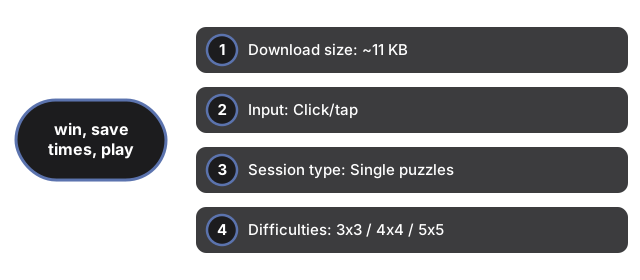
When every number is in order, a win overlay shows moves and elapsed time. Faster solves update Best for that grid size in ftol:cyberslidepuzzle:best. Play Again closes the overlay and shuffles a new board. No account, no cloud sync, zero server calls during play.
| Setting | Value | Notes |
|---|---|---|
| Download size | ~11 KB | HTML + CSS + JS in same-origin iframe |
| Input | Click/tap | Tiles adjacent to empty cell only |
| Session type | Single puzzles | Typically 1-10 minutes per board |
| Difficulties | 3x3 / 4x4 / 5x5 | Dropdown reshuffles on change |
| Saves | localStorage | Key: ftol:cyberslidepuzzle:best |
| Server calls | 0 | Runs entirely client-side |
See when to play in the browser, how it compares with other games, Marble Maze, and Hex Puzzle Blocks on this site.
Why trust these tools
- Ten-plus years of web tooling. The freetoolonline editorial team has shipped browser-based utilities since 2015. The goal has never changed: get you to a working output fast, without an install.
- No install, no sign-up. Open a tool and get a working output in seconds - nothing to download and no account to create. Tools that need heavy processing run it on our service, so even a low-powered machine gets the job done.
- Analytics stops at the page view. We measure which pages get visited, not what you type or upload inside a tool. There is nothing to sign in to and no profile is attached to your input.
- Open-source core components. The processing engines underneath (libheif, libde265, pdf-lib, terser, clean-css, ffmpeg.wasm, and others) are public and audit-able. We link to each one in its tool page's footer.
- Free, with or without ads. All tools are fully functional without sign-up. The Disable Ads button in the header is always available if you need a distraction-free run.