Como Jugar Pixel Pipeline Reflex - Paso a Paso
El Pixel Pipeline Reflex carga un juego de reflejos de ~48 KB con modulos ES en tu pestana. Empareja las etapas Fetch, FIFO, Mix y Light con teclas 1-4, toques o clics antes de que expire el haz de barrido.
Paso 1 - empezar un frame
Pulsa Play en la pagina, luego Start frame en el juego o Enter/Espacio. Elige Chill, Arcade (predeterminado) o Meltdown - cada uno cambia frames objetivo, tope de glitches, velocidad del haz y tiempo total.
Paso 2 - leer la siguiente etapa y vencer el haz
Mira la etiqueta Next stage y la cola de pixeles. Un haz barre el canvas - pulsa la tecla de la etapa iluminada (1 Fetch, 2 FIFO, 3 Mix, 4 Light), toca el boton o haz clic antes de que expire.
Paso 3 - estabilizar frames sin glitches
Gana estabilizando la meta: 10 en Chill, 12 en Arcade, 14 en Meltdown. Entradas incorrectas y timeouts cuentan como glitches; supera el tope (6/5/4) y la partida termina.
Paso 4 - combos y semillas
Aciertos seguidos suben el multiplicador de combo. La semilla diaria usa la fecha de Shanghai; carga una personalizada con ?seed= en la URL o el campo de la pagina. Copia el enlace para compartir el reto.
Paso 5 - sonido, pausa y records locales
El sonido es opcional y viene apagado - cambialo con el boton Sound (guardado en ftol:pixelpipelinereflex:sound-enabled). P para pausar. El mejor puntaje por semilla y dificultad se guarda en ftol:pixelpipelinereflex:{seed}:{difficulty}.
| Ajuste | Valor | Notas |
|---|---|---|
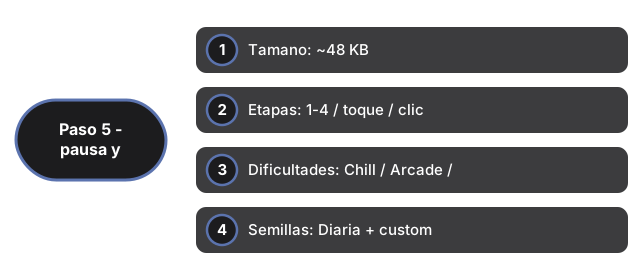
| Tamano | ~48 KB | Modulos ES (game.js + app.js) en iframe |
| Etapas | 1-4 / toque / clic | Fetch, FIFO, Mix, Light |
| Dificultades | Chill / Arcade / Meltdown | 10/12/14 frames; tope 6/5/4 glitches |
| Semillas | Diaria + custom | Fecha Shanghai o ?seed= en URL |
| Record | localStorage | Clave: ftol:pixelpipelinereflex:* |
| Servidor | 0 | Todo en el cliente |
Mira cuando jugar en el navegador y comparacion con otros juegos.
Why trust these tools
- Ten-plus years of web tooling. The freetoolonline editorial team has shipped browser-based utilities since 2015. The goal has never changed: get you to a working output fast, without an install.
- No install, no sign-up. Open a tool and get a working output in seconds - nothing to download and no account to create. Tools that need heavy processing run it on our service, so even a low-powered machine gets the job done.
- Analytics stops at the page view. We measure which pages get visited, not what you type or upload inside a tool. There is nothing to sign in to and no profile is attached to your input.
- Open-source core components. The processing engines underneath (libheif, libde265, pdf-lib, terser, clean-css, ffmpeg.wasm, and others) are public and audit-able. We link to each one in its tool page's footer.
- Free, with or without ads. All tools are fully functional without sign-up. The Disable Ads button in the header is always available if you need a distraction-free run.