Initializing, please wait a moment
Como Jugar Retro FPS Online - Paso a Paso
La pagina Retro FPS Online ejecuta Freedoom completo en WebAssembly. Elige una campana, espera la descarga unica, juega y guarda en este navegador. Exporta .ftolfps para llevar el progreso a otro PC.
Paso 1 - ver las tarjetas
Campana 1 (36 niveles), Campana 2 (32 niveles) e Import aparecen al instante. Cero red hasta el clic.
Paso 2 - clic en una campana
La descarga unica va a IndexedDB. Nada se pide antes de este clic.
Paso 3 - pantalla de titulo
Tras la descarga, menu del juego. Visitas siguientes usan IndexedDB y funcionan offline.
Paso 4 - guardar y exportar
Esc abre Save/Load. Export crea .ftolfps; Import en otro PC valida la version del motor.
Paso 5 - limites
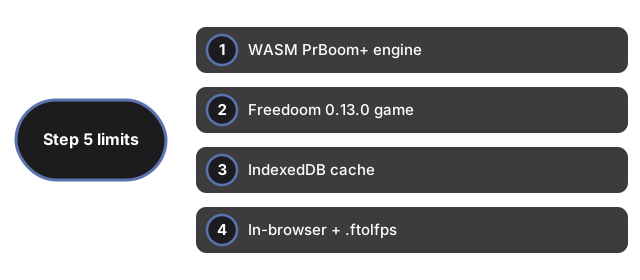
Cambiar de campana recarga la pagina. Sin multiplayer ni cuentas. Movil solo tactil no es el objetivo. Borrar datos del sitio borra cache y guardados.
| Item | Valor | Notas |
|---|---|---|
| Motor | WASM | Familia PrBoom+ |
| Juego | Freedoom 0.13.0 | Licencia libre |
| Cache | IndexedDB | Por version del motor |
| Saves | Navegador + .ftolfps | Export/Import |
| Input | Teclado + raton | Foco en pantalla |
Why trust these tools
- Ten-plus years of web tooling. The freetoolonline editorial team has shipped browser-based utilities since 2015. The goal has never changed: get you to a working output fast, without an install.
- No install, no sign-up. Open a tool and get a working output in seconds - nothing to download and no account to create. Tools that need heavy processing run it on our service, so even a low-powered machine gets the job done.
- Analytics stops at the page view. We measure which pages get visited, not what you type or upload inside a tool. There is nothing to sign in to and no profile is attached to your input.
- Open-source core components. The processing engines underneath (libheif, libde265, pdf-lib, terser, clean-css, ffmpeg.wasm, and others) are public and audit-able. We link to each one in its tool page's footer.
- Free, with or without ads. All tools are fully functional without sign-up. The Disable Ads button in the header is always available if you need a distraction-free run.