Cara Bermain Pixel Pipeline Reflex - Langkah demi Langkah
Pixel Pipeline Reflex memuat game refleks ~48 KB dengan modul ES di tab Anda. Cocokkan tahap Fetch, FIFO, Mix, dan Light dengan tombol 1-4, tap, atau klik sebelum sinar pemindaian habis.
Langkah 1 - mulai frame
Tekan Play di halaman, lalu Start frame di game atau Enter/Spasi. Pilih Chill, Arcade (default), atau Meltdown - masing-masing mengubah target frame, batas glitch, kecepatan sinar, dan waktu total.
Langkah 2 - baca tahap berikutnya dan kalahkan sinar
Perhatikan label Next stage dan antrean pixel. Sinar menyapu canvas - tekan tombol tahap yang menyala (1 Fetch, 2 FIFO, 3 Mix, 4 Light), tap tombol, atau klik sebelum waktu habis.
Langkah 3 - stabilkan frame tanpa glitch
Menang dengan menstabilkan target: 10 di Chill, 12 di Arcade, 14 di Meltdown. Input salah dan timeout dihitung glitch; melebihi batas (6/5/4) dan run berakhir.
Langkah 4 - combo dan seed
Hit benar beruntun menaikkan pengali combo. Seed harian memakai tanggal Shanghai; muat seed kustom via ?seed= di URL atau field di halaman. Salin link untuk berbagi tantangan.
Langkah 5 - suara, jeda, dan skor lokal
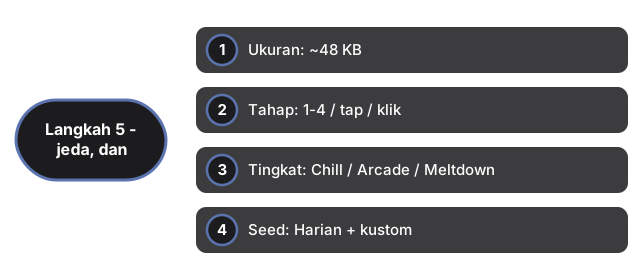
Suara opsional dan mati secara default - toggle dengan tombol Sound (disimpan di ftol:pixelpipelinereflex:sound-enabled). P untuk jeda. Skor terbaik per seed dan tingkat disimpan di ftol:pixelpipelinereflex:{seed}:{difficulty}.
| Pengaturan | Nilai | Catatan |
|---|---|---|
| Ukuran | ~48 KB | Modul ES (game.js + app.js) di iframe |
| Tahap | 1-4 / tap / klik | Fetch, FIFO, Mix, Light |
| Tingkat | Chill / Arcade / Meltdown | 10/12/14 frame; batas 6/5/4 glitch |
| Seed | Harian + kustom | Tanggal Shanghai atau ?seed= di URL |
| Skor | localStorage | Kunci: ftol:pixelpipelinereflex:* |
| Server | 0 | Sepenuhnya client-side |
Lihat kapan main di browser dan perbandingan dengan game lain.
Why trust these tools
- Ten-plus years of web tooling. The freetoolonline editorial team has shipped browser-based utilities since 2015. The goal has never changed: get you to a working output fast, without an install.
- No install, no sign-up. Open a tool and get a working output in seconds - nothing to download and no account to create. Tools that need heavy processing run it on our service, so even a low-powered machine gets the job done.
- Analytics stops at the page view. We measure which pages get visited, not what you type or upload inside a tool. There is nothing to sign in to and no profile is attached to your input.
- Open-source core components. The processing engines underneath (libheif, libde265, pdf-lib, terser, clean-css, ffmpeg.wasm, and others) are public and audit-able. We link to each one in its tool page's footer.
- Free, with or without ads. All tools are fully functional without sign-up. The Disable Ads button in the header is always available if you need a distraction-free run.