Como Jogar Pixel Pipeline Reflex - Passo a Passo
O Pixel Pipeline Reflex carrega um jogo de reflexo de ~48 KB em modulos ES na sua aba. Combine as etapas Fetch, FIFO, Mix e Light com teclas 1-4, toques ou cliques antes do feixe de varredura expirar.
Passo 1 - iniciar um frame
Pressione Play na pagina, depois Start frame no jogo ou Enter/Espaco. Escolha Chill, Arcade (padrao) ou Meltdown - cada um muda meta de frames, limite de glitches, velocidade do feixe e tempo total.
Passo 2 - ler a proxima etapa e vencer o feixe
Veja o rotulo Next stage e a fila de pixels. Um feixe varre o canvas - pressione a tecla da etapa acesa (1 Fetch, 2 FIFO, 3 Mix, 4 Light), toque o botao ou clique antes do tempo acabar.
Passo 3 - estabilizar frames sem glitches
Venca estabilizando a meta: 10 no Chill, 12 no Arcade, 14 no Meltdown. Entradas erradas e timeouts contam como glitches; passe do limite (6/5/4) e a partida termina.
Passo 4 - combos e seeds
Acertos seguidos aumentam o multiplicador de combo. A seed diaria usa a data de Xangai; carregue uma seed custom via ?seed= na URL ou no campo da pagina. Copie o link para compartilhar o desafio.
Passo 5 - som, pausa e recordes locais
Som e opcional e vem desligado - alterne com o botao Sound (salvo em ftol:pixelpipelinereflex:sound-enabled). P para pausar. Recorde por seed e dificuldade salva em ftol:pixelpipelinereflex:{seed}:{difficulty}.
| Configuracao | Valor | Notas |
|---|---|---|
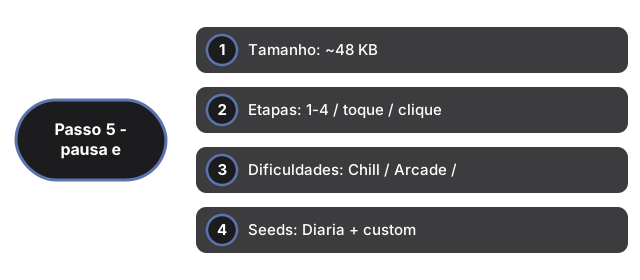
| Tamanho | ~48 KB | Modulos ES (game.js + app.js) em iframe |
| Etapas | 1-4 / toque / clique | Fetch, FIFO, Mix, Light |
| Dificuldades | Chill / Arcade / Meltdown | 10/12/14 frames; limite 6/5/4 glitches |
| Seeds | Diaria + custom | Data Xangai ou ?seed= na URL |
| Recorde | localStorage | Chave: ftol:pixelpipelinereflex:* |
| Servidor | 0 | 100% no cliente |
Veja quando jogar no navegador e comparacao com outros jogos.
Why trust these tools
- Ten-plus years of web tooling. The freetoolonline editorial team has shipped browser-based utilities since 2015. The goal has never changed: get you to a working output fast, without an install.
- No install, no sign-up. Open a tool and get a working output in seconds - nothing to download and no account to create. Tools that need heavy processing run it on our service, so even a low-powered machine gets the job done.
- Analytics stops at the page view. We measure which pages get visited, not what you type or upload inside a tool. There is nothing to sign in to and no profile is attached to your input.
- Open-source core components. The processing engines underneath (libheif, libde265, pdf-lib, terser, clean-css, ffmpeg.wasm, and others) are public and audit-able. We link to each one in its tool page's footer.
- Free, with or without ads. All tools are fully functional without sign-up. The Disable Ads button in the header is always available if you need a distraction-free run.