Desbloquear Archivo ZIP Online
"Desbloquear" un ZIP puede significar dos cosas diferentes, y la herramienta correcta depende de cual necesita tu archivo. Un ZIP protegido con contrasena necesita la contrasena removida antes de abrir limpiamente en tu sistema operativo; un ZIP simple solo necesita un extractor que pueda leer la cabecera del archivo y descargar los archivos dentro.
freetoolonline.com Editorial Team| Propiedad | Valor |
|---|---|
| Formato | Herramienta online, sin instalacion |
| Velocidad | La mayoria de ZIPs abren en segundos |
| Privacidad | Extraccion simple corre en la pestana del navegador |
| Para ZIPs simples | https://freetoolonline.com/zip-tools/unzip-file.html |
| Para ZIPs protegidos con contrasena | https://freetoolonline.com/zip-tools/remove-zip-password.html |
| Fuerza de cifrado por contrasena | AES-128-bit o AES-256-bit |
| Herramientas ZIP dedicadas en este sitio | 2 (unzip-file, remove-zip-password) |
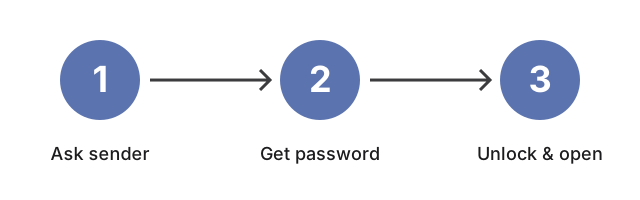
Si haces doble-clic en el ZIP en Windows o macOS y el sistema operativo muestra un prompt pidiendo una contrasena antes de que aparezca cualquier archivo, el archivo esta protegido con contrasena. Lleva el ZIP a https://freetoolonline.com/zip-tools/remove-zip-password.html y proporciona la contrasena que recibiste del remitente; la herramienta produce una copia del archivo con la contrasena removida. Si el ZIP abre a un arbol de carpetas sin pedir nada, llevalo a https://freetoolonline.com/zip-tools/unzip-file.html.