Formatador JSON Online Passo a Passo
Last reviewed: 2026-07-03
Free Tool Online editorial teamReferencia rapida para leitores que chegam aqui de uma busca por "formatador JSON online passo a passo". Este guia esta emparelhado com a ferramenta em Parser e Formatador JSON.
Por que isso importa
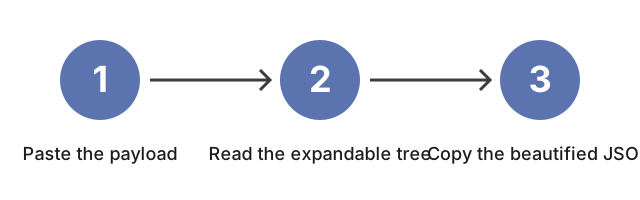
Por que isso importa para JSON Parser and Formatter: cole o payload no editor esquerdo, veja a arvore expansivel a direita, copie JSON embelezado quando precisar de saida indentada, e mude a largura de indentacao antes de um diff estrito.
Como a ferramenta se encaixa
Como a ferramenta se encaixa: abra JSON Parser and Formatter e cole a esquerda na ordem do guia para o painel direito acender a arvore, Copy Beautified JSON devolver texto indentado e a largura bater com o consumidor. Se um editor de desktop ou a linha de comando jq encaixar melhor na tarefa do que esta sequencia no navegador, formatador JSON vs alternativas compara as opcoes.
Why trust these tools
- Ten-plus years of web tooling. The freetoolonline editorial team has shipped browser-based utilities since 2015. The goal has never changed: get you to a working output fast, without an install.
- No install, no sign-up. Open a tool and get a working output in seconds - nothing to download and no account to create. Tools that need heavy processing run it on our service, so even a low-powered machine gets the job done.
- Analytics stops at the page view. We measure which pages get visited, not what you type or upload inside a tool. There is nothing to sign in to and no profile is attached to your input.
- Open-source core components. The processing engines underneath (libheif, libde265, pdf-lib, terser, clean-css, ffmpeg.wasm, and others) are public and audit-able. We link to each one in its tool page's footer.
- Free, with or without ads. All tools are fully functional without sign-up. The Disable Ads button in the header is always available if you need a distraction-free run.