
Type or paste into the box, set how many times, then click Repeat; the repeated text appears in the output box.
Common uses: build placeholder content for wireframes, repeat a separator line in a document, generate a test string for a form field, or pad text to a fixed length. The count goes up to 10,000 and everything runs in your browser - nothing is sent to a server.
Text Repeater
Repeat a block of text a set number of times. Paste your text, set how many copies you want, and the tool prints each copy on its own line - handy for placeholder content, test strings, or padding text to a target length.
Key features
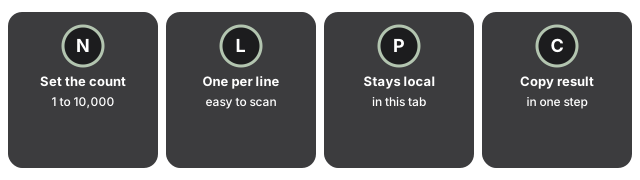
Text Repeater's key features let you set repeat count up to 10,000, separate copies by line, run everything locally, and copy the result in one step.
- Set the count: repeat anything from 1 to 10,000 times; the box starts at 3.
- One copy per line: the copies are joined with a line break, so the result is easy to scan or paste into a list.
- Runs in your browser: the text stays in this tab - no upload, no account, no install.
- Copy the result: the output lands in a text box you can select and copy in one step.
When to use it
| Task | How the repeater helps |
|---|---|
| Placeholder content | Repeat a sample line to fill a layout or mock-up quickly. |
| Test strings | Generate a long, predictable input to check how a field or parser handles length. |
| Padding to length | Repeat a short block until the text reaches the size you need. |
For a guide on when a text repeater fits and when a script or editor macro makes more sense, see when to use a text repeater.
Blank, zero, decimal, or too-high counts
If the Times field is left blank, cleared to zero, or filled with something that is not a whole number, the tool does not throw an error or stall - it quietly falls back to a single copy instead. A decimal like 3.7 is treated as 3, since only the whole-number part is used when the count is read. The upper limit works the same way in reverse: typing 50,000 does not produce 50,000 lines, it silently settles at the 10,000 ceiling before the copies are built, so the output textarea's line count never runs away from what the field actually allows. Because the whole operation reruns from scratch each time, changing the number and clicking Repeat again simply replaces the previous output rather than adding to it.
Frequently Asked Questions
What does Text Repeater do?
Repeat a block of text a set number of times.
When should I reach for text repeater?
Use it to build placeholder content, generate a test string, or pad text to a target length.
What complementary tools work well alongside text repeater?
The count is clamped between 1 and 10,000; nothing you type is saved between visits.