Convert Milliseconds To Date
Paste a 13-digit millisecond timestamp like 1713538800000 into the converter and read back the matching calendar date with a 24-hour clock in your own timezone. The conversion happens the moment you click Convert, so a long number from a server log line becomes a wall-clock moment you can argue about in a code review.
Last reviewed: 2026-08-05
FreetoolOnline editorial team| Property | Value |
|---|---|
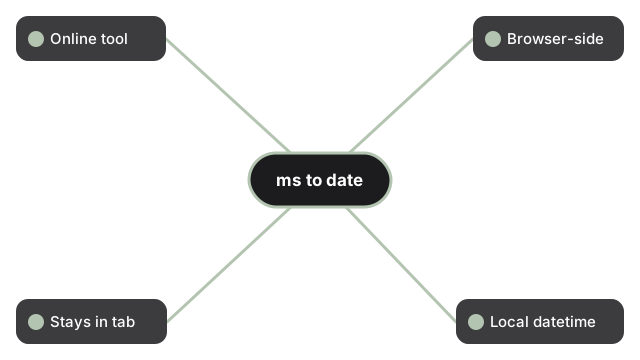
| Format | Online tool, no install |
| Speed | Browser-side; output in seconds |
| Privacy | The number you paste stays in the tab |
| Output mask | mm/dd/yyyy HH:MM:ss l (local timezone) |
| Implementing tool | https://freetoolonline.com/utility-tools/convert-time-in-millisecond-to-date.html |
The most common stumble on this task is the off-by-1000 gotcha. If your timestamp is only 10 digits long it is almost certainly Unix seconds rather than milliseconds, and the converter will dutifully resolve it to a moment in 1970 because that is what the math says. Multiply the value by 1000 before pasting, or use a seconds-to-date converter instead. Search engines and Stack Overflow comments use ms, millis, and epoch milliseconds interchangeably; all three refer to the same Unix epoch counted in milliseconds since midnight UTC on 1 January 1970, and the same single input box on the implementing tool answers all of them.
Epoch digit-length reference
The digit count of an epoch value tells you which unit you are holding before you even convert it. Unix time in seconds is a 10-digit number today; the same moment in milliseconds is 13 digits; in microseconds it is 16 digits.
| Unit | Digits | Example value |
|---|---|---|
| Seconds | 10 | 1785888000 |
| Milliseconds | 13 | 1785888000000 |
| Microseconds | 16 | 1785888000000000 |
What a wrong-unit paste actually resolves to
Guessing the unit wrong does not throw an error - the converter reads the digits it is handed, so it helps to know where a mistake lands. Feed the 10-digit seconds value 1713538800 into a field that expects milliseconds and it resolves to 20 January 1970 at about 20:00 UTC, because 1,713,538,800 milliseconds is only 19.8 days past the epoch rather than the April 2024 date you meant. The trap runs the other way for high-precision sources: a 16-digit microsecond stamp or a 19-digit nanosecond stamp from a database column or a tracing span reads as a date tens of thousands of years in the future until you divide by 1,000 or 1,000,000 respectively. Negative integers are valid input rather than a bug - they count backward from the epoch, so -86400000 is exactly one day before it, 31 December 1969. Because the result is drawn in your browser's own timezone and not UTC, the same millisecond value read by a colleague three timezones away shows a different wall-clock time, which is worth saying out loud before two people compare notes on one log line.
Frequently asked questions
Does this tool upload or store the timestamp I paste in?
No. The conversion runs entirely in your browser through a cached date-formatting library, so a timestamp copied from an internal log line, a webhook payload, or a database row never leaves the tab.
Can I convert a list of timestamps at once?
Not in one pass. The tool takes a single value at a time and each Convert click overwrites the previous result in place, so you can move through a list quickly, but there is no CSV or multi-value paste.