MD5 decode: what readers usually mean and where to go next
"MD5 decode" is a search the cryptography does not actually support - MD5 is a one-way hash, so the original input cannot be derived from the 32-hex output the way "decode" implies.
Last reviewed: 2026-09-10
FreetoolOnline editorial team| Reader intent behind "MD5 decode" | What is actually possible | Where to go |
|---|---|---|
| "Generate an MD5 from a string I have" | One-shot hashing of text (up to 990 chars) into a 32-hex digest. | https://freetoolonline.com/developer-tools/md5-converter.html (To MD5 button) |
| "Look up the plaintext for a hash I have" | Possible only if the same hash-plaintext pair was previously published or recorded - a dictionary lookup, not a decode. Will fail for any input that was never paired before. | https://freetoolonline.com/developer-tools/md5-converter.html (To Text button) - and read why you cannot convert MD5 back to text first. |
| "Reverse the hash to get the original text" | Not possible by design - MD5 is a one-way trapdoor function. See the math walkthrough. | https://freetoolonline.com/guides/en/why-md5-cannot-be-decrypted.html |
| "I am building password storage and need to decode for verification" | Wrong tool for that job - MD5 is unsafe for passwords. Switch to bcrypt, argon2id, or scrypt. | MD5 alternatives - bcrypt / argon2id / sha256 / when each fits |
| "Compare two MD5 hashes to verify a file" | Possible - that is fingerprint verification, not decoding. | Read and compare MD5 hashes correctly |
Why "decode" is the wrong word for MD5
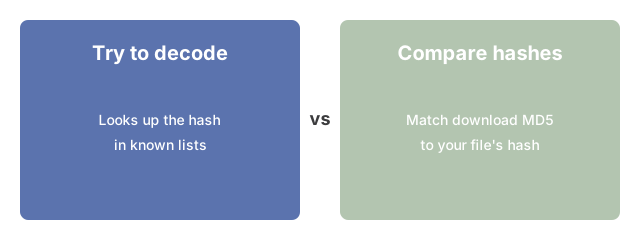
"Decode" implies the operation is reversible - you can take the output and run it backwards to recover the input, the way Base64 decode produces the original byte sequence from the encoded string. MD5 is not encoding; it is a hash function. The 128-bit output is a fingerprint of the input, computed by a one-way operation that throws away information at each step. There is no inverse function that takes a fingerprint and produces the original input, even in principle. When a website claims to "decode" an MD5, what it actually does is look the hash up in a precomputed dictionary of strings that have been hashed before - that lookup succeeds only when the original string was already published, and fails for any input the dictionary has never seen.
If the hash you have is in a dictionary
The MD5 converter on this site exposes a To Text button that performs the same kind of dictionary lookup against its own precomputed pairings (and against entries that earlier readers of this site contributed by hashing their own text). If the hash you paste was previously paired with a plaintext - either because you or another reader hashed the same string here, or because the string is common enough to appear in a public dictionary - the lookup returns the original. If the hash has never been paired with a plaintext on this side, the lookup returns nothing; that is the expected behaviour, not a bug. The lookup is a fingerprint match, not a reverse computation.
If you are storing passwords
If you are storing passwords means stop using MD5 for that job - pick a slow salted KDF from the alternatives guide instead of trying to reverse the hash.
An additional hazard specific to online tools: the MD5 converter's reverse-lookup cache is global - any string you hash through the tool is stored so that any future visitor who pastes that exact MD5 can retrieve your original input. Never hash passwords or any confidential string through an online tool, even as a quick spot-check. Use your language's standard library (hashlib.md5 in Python, MessageDigest.getInstance("MD5") in Java, crypto.createHash('md5') in Node) for password-related testing instead.
If the download button does not appear after a hash or conversion on this site, see download link not appearing after conversion - five fixes.
Frequently Asked Questions
Do letter-case differences mean two MD5 hashes do not match?
No. Hexadecimal is case-insensitive, so d41d8cd98f00b204e9800998ecf8427e and D41D8CD98F00B204E9800998ECF8427E represent the exact same 128-bit digest. If a lookup or a side-by-side comparison reports no match anyway, the real cause is something else - stray whitespace, an invisible byte-order mark, or a genuinely different input - not the letter case.
I pasted a hash and the lookup says it does not match - could the copy-paste itself be the problem?
Yes. Three copy-paste artifacts commonly break a lookup or a comparison without changing anything visible on screen: leading or trailing whitespace picked up from the source; an invisible UTF-8 byte-order mark at the very start of a hash copied from a text file; and a colon-separated format such as d4:1d:8c:d9:8f:00:b2:04 that some tools emit instead of one plain 32-character string. None of these change the underlying digest, but a strict string comparison treats them as different input.
The value I am trying to "decode" is not 32 characters - is it still an MD5 hash?
No. MD5 always produces exactly a 32-character hexadecimal digest, no more and no less. A 40-character string is SHA-1, a 64-character string is SHA-256, and an 8-character string is usually CRC32. If the value you have is longer or shorter than 32 characters, it was never an MD5 hash in the first place, and no MD5 lookup or converter can help - it belongs to a different algorithm entirely.
What is the reliable way to tell whether two MD5 values are actually identical?
Run a short check instead of eyeballing the two strings: lowercase both, trim any leading or trailing whitespace from both, confirm each is exactly 32 characters, confirm each contains only the characters 0-9 and a-f, then compare the two strings character by character. If all of that lines up, the hashes are identical; if even one hex digit differs after that cleanup, the two inputs were genuinely different.
If verifying a downloaded file is the real job, is MD5 still good enough for that?
Yes, for that specific job. MD5 is fine for catching accidental corruption - confirming a download matches the file the publisher intended, or that a transferred copy is byte-for-byte the same as the original. It is unsafe only for adversarial uses such as password storage or tamper-proofing, because two different inputs can now be crafted on purpose to produce the same MD5 hash (a collision) in seconds on ordinary hardware. A collision does not matter for a routine accidental-corruption check; it matters a great deal for anything a hostile party could exploit.