Frontkamera-Test
Bestaetige, dass deine Selfie-Kamera funktioniert: Oeffne den Kameratest, klicke auf Start Camera, um die Browser-Berechtigung zu erteilen, und eine Live-Vorschau erscheint mit der Aufloesung deines Geraets. Wenn sie an der Ruecklinse startet, druecke Switch, um die Frontkamera auszuwaehlen.
FreetoolOnline editorial team| Eigenschaft | Wert |
|---|---|
| Format | Online-Werkzeug, keine Installation |
| Geschwindigkeit | Im Browser; Live-Vorschau in Sekunden |
| Datenschutz | Die Einzelbilder bleiben auf dem Geraet, nichts wird hochgeladen |
| Umsetzendes Werkzeug | https://freetoolonline.com/device-test-tools/camera-test.html |
| Typische Aufloesung (Frontkamera Smartphone) | 1920x1080 (Full HD); aktuelle Modelle: 4K bei 60 fps |
| Browser-Kompatibilitaet | Chrome 47+, Firefox 44+, Edge 18+, Safari 11+ |
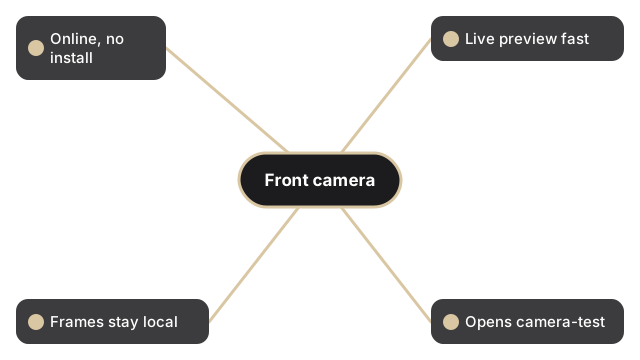
Dies ist eine Pruefung von Berechtigung, Vorschau und Aufnahme, kein Videorekorder. Nachdem Start Camera den Zugriff erteilt hat, laeuft der Live-Stream innerhalb des Browser-Tabs, und die Aufloesungsanzeige zeigt, was das Betriebssystem fuer die Linse meldet. Verwende Switch, um zwischen Front- und Rueckkamera zu wechseln, damit du gezielt die Selfie-Linse pruefen kannst. Flip spiegelt die Vorschau, und Filters aendern nur die Live-Ansicht. Wenn die Frontkamera richtig aussieht, druecke Capture, um ein einzelnes JPEG zu speichern, das du mit Edit bearbeiten oder mit Download herunterladen kannst. Kein Einzelbild verlaesst dein Geraet.
Um alle Geraete vor einer Remote-Arbeitssitzung zu pruefen, siehe die device test checklist for remote work.
Falls die Kamera nicht oeffnet: Kameratest-Berechtigung blockiert - So entsperren. Falls ein schwarzer Bildschirm erscheint: Kameratest zeigt schwarzen Bildschirm - vier Loesungen.