Json Formatter Online Vs Alternatives
Quick reference for readers who land here from a search for "json formatter online vs alternatives". This guide pairs with the tool at JSON Parser & Formatter.
Why this matters
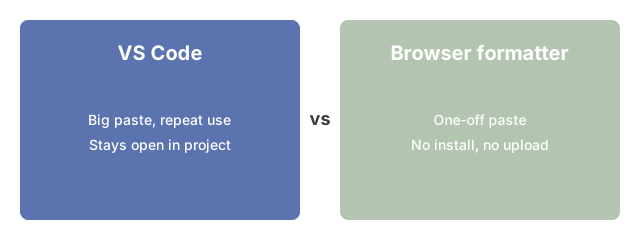
Plenty of paths lead to formatted JSON - a desktop editor like VS Code, the jq command line, JSON.parse in the browser console, or the in-browser tool at JSON Parser & Formatter. This guide weighs each route against your paste size, your privacy preference for keeping the payload off a server, and how often you reach for it during a workday, so you can pick the alternative that actually fits the job in front of you.
When jq fits the shell pipeline
The jq command line is the right route when the format step is one stage in a longer shell pipeline. You read a JSON file from disk, hand it to jq for indentation or a filter expression, and pipe the cleaned output to the next command - a grep, a curl, or a redirect into a downstream tool. Browser-based and editor-based alternatives do not slot into that flow: a browser tab cannot receive piped stdin and a desktop editor expects an interactive paste. Pick jq when the format is one verb in a chained sequence and the surrounding stages are also command-line.

How the tool fits
With the trade-offs above in hand, open JSON Parser & Formatter and try the in-browser route. It keeps the payload off a server, renders an expandable tree, and stays responsive on the paste sizes a desktop editor or the jq CLI would also handle - so you can verify whether the privacy and speed claims above actually pay off for the inputs you care about.
Why trust these tools
- Ten-plus years of web tooling. The freetoolonline editorial team has shipped browser-based utilities since 2015. The goal has never changed: get you to a working output fast, without an install.
- Truly in-browser - no upload. Every file-processing tool on this site runs in your browser through modern Web APIs (File, FileReader, Canvas, Web Audio, WebGL, Web Workers). Your photo, PDF, audio, or text never leaves your device.
- No tracking during tool use. Analytics ends at the page view. The actual input you paste, drop, or capture is never sent to any server and never written to any log.
- Open-source core components. The processing engines underneath (libheif, libde265, pdf-lib, terser, clean-css, ffmpeg.wasm, and others) are public and audit-able. We link to each one in its tool page's footer.
- Free, with or without ads. All tools are fully functional without sign-up. The Disable Ads button in the header is always available if you need a distraction-free run.