Dwarf Planet Size Comparison 3D Explorer vs Planet Size Comparison 3D Explorer
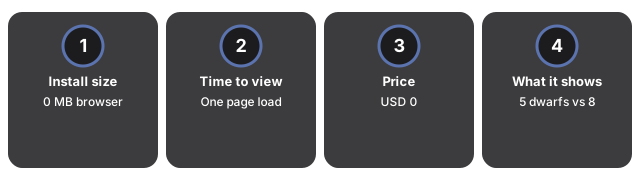
Fuenf Zwergplaneten zu vergleichen dauert einen Seitenaufruf im Dwarf Planet Size Comparison 3D Explorer - 0 MB installiert, 0 USD, kein Konto. Der Planet Size Comparison 3D Explorer reiht dagegen die Sonne und die acht IAU-Planeten auf, in einem viel groesseren Groessenbereich.
Die Zahlen im direkten Vergleich
| Aspekt | Dwarf Planet Size Comparison 3D Explorer | Planet Size Comparison 3D Explorer |
|---|---|---|
| Installationsgroesse | 0 MB - laeuft im Browser | 0 MB - laeuft im Browser |
| Zeit bis zur ersten Ansicht | Sekunden - ein Seitenaufruf | Sekunden - ein Seitenaufruf |
| Preis | USD 0 | USD 0 |
| Was verglichen wird | Fuenf Zwergplaneten (Ceres, Pluto, Haumea, Makemake, Eris) | Die Sonne und acht IAU-Planeten |
Wo Dwarf Planet Size Comparison gewinnt
Dwarf Planet Size Comparison gewinnt, wenn die Frage speziell die fuenf anerkannten Zwergplaneten betrifft - es ist der einzige Explorer auf dieser Seite, der Ceres, Pluto, Haumea, Makemake und Eris auf einer einheitlichen Skala gegenueberstellt.
Wo Planet Size Comparison gewinnt
Planet Size Comparison gewinnt, wenn die Frage die Sonne und die acht IAU-Planeten betrifft - der echte Massstab von Jupiter gegenueber der Erde etwa ist nichts, was die Zwergplaneten-Seite zu zeigen versucht.
Eine vernuenftige Regel
Als vernuenftige Regel nutzen Sie Planet Size Comparison fuer die acht Planeten und die Sonne, nutzen Sie Dwarf Planet Size Comparison fuer Ceres, Pluto, Haumea, Makemake und Eris, und nutzen Sie Kuiper Belt and Oort Cloud 3D Explorer, wenn die Frage den Kuipergurt als Region betrifft und nicht einen bestimmten benannten Koerper. Die veroeffentlichten Zahlen in jedem Panel bleiben in beiden Faellen korrekt.
Siehe wann Dwarf Planet Size Comparison 3D Explorer nutzen fuer die passende Sitzung.
freetoolonline.com editorial team
Why trust these tools
- Ten-plus years of web tooling. The freetoolonline editorial team has shipped browser-based utilities since 2015. The goal has never changed: get you to a working output fast, without an install.
- No install, no sign-up. Open a tool and get a working output in seconds - nothing to download and no account to create. Tools that need heavy processing run it on our service, so even a low-powered machine gets the job done.
- Analytics stops at the page view. We measure which pages get visited, not what you type or upload inside a tool. There is nothing to sign in to and no profile is attached to your input.
- Open-source core components. The processing engines underneath (libheif, libde265, pdf-lib, terser, clean-css, ffmpeg.wasm, and others) are public and audit-able. We link to each one in its tool page's footer.
- Free, with or without ads. All tools are fully functional without sign-up. The Disable Ads button in the header is always available if you need a distraction-free run.