ZIP-Datei Online Entsperren
Eine ZIP zu "entsperren" kann zwei verschiedene Dinge bedeuten, und das richtige Werkzeug haengt davon ab, was Ihr Archiv benoetigt. Eine passwortgeschuetzte ZIP benoetigt die Passwortentfernung, bevor sie sauber in Ihrem Betriebssystem geoeffnet wird; eine einfache ZIP benoetigt nur einen Extraktor, der den Archivheader lesen und die Dateien herunterladen kann.
freetoolonline.com Editorial Team| Eigenschaft | Wert |
|---|---|
| Format | Online-Werkzeug, ohne Installation |
| Geschwindigkeit | Die meisten ZIPs oeffnen sich in Sekunden |
| Datenschutz | Einfache Extraktion laeuft im Browser-Tab |
| Fuer einfache ZIPs | https://freetoolonline.com/zip-tools/unzip-file.html |
| Fuer passwortgeschuetzte ZIPs | https://freetoolonline.com/zip-tools/remove-zip-password.html |
| Passwort-Verschluesselungsstaerke | AES-128-bit oder AES-256-bit |
| Dedizierte ZIP-Werkzeuge auf dieser Seite | 2 (unzip-file, remove-zip-password) |
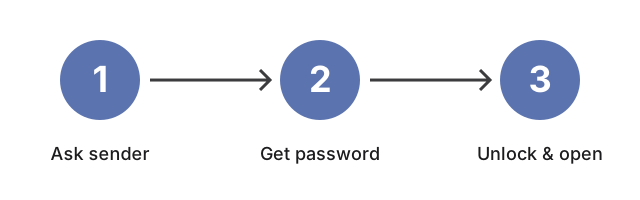
Wenn Sie auf Windows oder macOS auf die ZIP doppelklicken und das Betriebssystem eine Aufforderung zur Passworteingabe anzeigt, bevor eine Datei erscheint, ist das Archiv passwortgeschuetzt. Bringen Sie die ZIP zu https://freetoolonline.com/zip-tools/remove-zip-password.html und geben Sie das Passwort an, das Sie vom Absender erhalten haben; das Werkzeug erstellt eine Kopie des Archivs mit entferntem Passwort. Wenn die ZIP zu einem Ordnerbaum oeffnet, ohne nach etwas zu fragen, bringen Sie sie zu https://freetoolonline.com/zip-tools/unzip-file.html.