MP4 ke GIF Online Gratis: Potong, Ubah Ukuran, dan Ekspor GIF Animasi

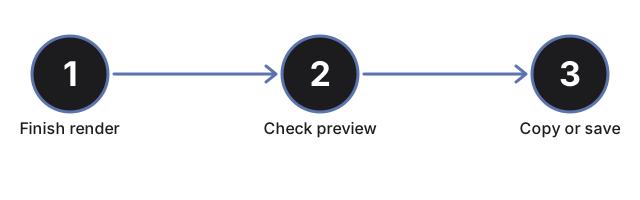
Mengubah MP4 menjadi GIF berarti memilih potongan singkat dari video dan menyimpannya kembali sebagai animasi yang bisa tampil di mana pun gambar diam biasa tampil. Alat GIF Maker melakukan persis itu: unggah video, potong menjadi jendela 3 sampai 10 detik, atur lebar dan frame rate, lalu unduh GIF yang sudah jadi.

Last reviewed: 2026-07-01

PropertiNilai
FormatOnline, tanpa instal, tanpa daftar
BiayaGratis
Alat yang dipakaihttps://freetoolonline.com/image-tools/gif-maker.html

Dua pengaturan menentukan ukuran file. Input lebar dan tinggi berada di bawah slider pemotongan; centang AutoW atau AutoH dan alat ini menyesuaikan sisi lain secara proporsional, jadi pratinjau forum hanya perlu lebar target yang diketik. Slider frame rate berjalan dari 1 sampai 60 fps: fps lebih rendah menghasilkan file lebih kecil untuk pratinjau chat, fps lebih tinggi membuat gerakan tetap mulus. Jaga pilihan sekitar 3 sampai 10 detik, karena klip yang lebih panjang membuat GIF membesar dan pratinjau melambat. Pemrosesan berjalan di layanan konversi situs melalui HTTPS, dan GIF yang sudah jadi dihapus dari server setelah jendela retensi yang ditampilkan di halaman, jadi simpan salinan Anda sebelum menutup tab. Tanpa akun, tanpa instal, gratis.

← Kembali ke alat video

Why trust these tools

  • Ten-plus years of web tooling. The freetoolonline editorial team has shipped browser-based utilities since 2015. The goal has never changed: get you to a working output fast, without an install.
  • No install, no sign-up. Open a tool and get a working output in seconds - nothing to download and no account to create. Tools that need heavy processing run it on our service, so even a low-powered machine gets the job done.
  • Analytics stops at the page view. We measure which pages get visited, not what you type or upload inside a tool. There is nothing to sign in to and no profile is attached to your input.
  • Open-source core components. The processing engines underneath (libheif, libde265, pdf-lib, terser, clean-css, ffmpeg.wasm, and others) are public and audit-able. We link to each one in its tool page's footer.
  • Free, with or without ads. All tools are fully functional without sign-up. The Disable Ads button in the header is always available if you need a distraction-free run.

Related tools:

  • Convert GIF To Images Frame - Extract every frame from an animated GIF and save each as PNG or JPG.
  • All Video Converter - Upload a video, trim with start/duration sliders, convert to MP4, WebM, MOV, MP3, or WAV.
  • FFmpeg Online - FFmpeg online - run FFmpeg or FFprobe commands on your media through our processing service.
  • GIF Maker and Gif Editor - GIF maker online - create an animated GIF from a video clip or a sequence of still images.
  • Camera Test - Free camera test online: live preview, resolution readout, switch front and back camera, capture
  • Video And SlideShow Maker - Video maker online - build an MP4 slideshow from a sequence of images with optional audio.
  • Video Tools - Change MOV to MP4, turn photos into a video, or run FFmpeg filter chains in your browser - three
  • Hd Online Video Converter - Convert HD video files between MP4, WebM, MOV, AVI, and MKV right in your browser.
  • Online Video Trimmer - Online Video Trimmer - Trim an MP4, MOV, or WebM video to the exact time range you need, right in

Tags: #video

Related guides: