Initializing, please wait a moment

Tes Kamera Depan

Ingin memastikan kamera selfie Anda berfungsi sebelum panggilan atau foto cepat? Buka tes kamera, klik Start Camera untuk memberikan izin browser, dan pratinjau langsung muncul dengan resolusi yang dilaporkan perangkat Anda. Jika terbuka di lensa belakang, tekan Switch untuk memilih kamera depan dan lihat diri Anda muncul di pratinjau - itulah kamera depan Anda lulus tes.

Last reviewed: 2026-06-10

PropertiNilai
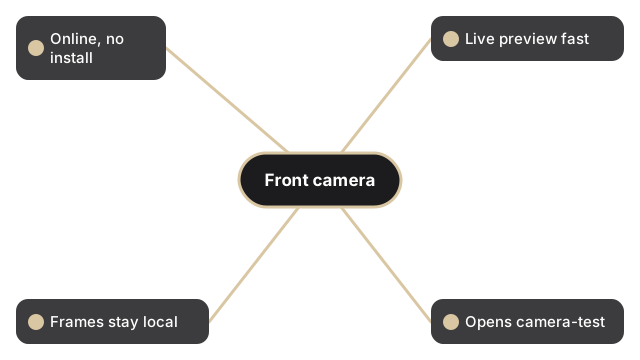
FormatAlat online, tanpa instalasi
KecepatanDi browser; pratinjau langsung dalam hitungan detik
PrivasiBingkai tetap di perangkat, tidak ada yang diunggah
Alat yang menjalankanhttps://freetoolonline.com/device-test-tools/camera-test.html

Ini adalah pemeriksaan izin, pratinjau, dan tangkapan, bukan perekam video. Setelah Start Camera memberikan akses, aliran langsung berjalan di dalam tab browser dan pembacaan resolusi menunjukkan apa yang dilaporkan sistem operasi untuk lensa. Gunakan Switch untuk berpindah antara kamera depan dan belakang sehingga Anda dapat memverifikasi lensa selfie secara khusus. Flip mencerminkan pratinjau dan Filters hanya mengubah tampilan langsung. Saat kamera depan terlihat benar, tekan Capture untuk menyimpan satu JPEG yang dapat Anda Edit atau Download. Tidak ada bingkai yang meninggalkan perangkat Anda.

Why trust these tools

  • Ten-plus years of web tooling. The freetoolonline editorial team has shipped browser-based utilities since 2015. The goal has never changed: get you to a working output fast, without an install.
  • No install, no sign-up. Open a tool and get a working output in seconds - nothing to download and no account to create. Tools that need heavy processing run it on our service, so even a low-powered machine gets the job done.
  • Analytics stops at the page view. We measure which pages get visited, not what you type or upload inside a tool. There is nothing to sign in to and no profile is attached to your input.
  • Open-source core components. The processing engines underneath (libheif, libde265, pdf-lib, terser, clean-css, ffmpeg.wasm, and others) are public and audit-able. We link to each one in its tool page's footer.
  • Free, with or without ads. All tools are fully functional without sign-up. The Disable Ads button in the header is always available if you need a distraction-free run.

Related tools:

  • Camera Test - Free camera test online: live preview, resolution readout, switch front and back camera, capture
  • Keyboard Test - Keyboard test online - press each key to highlight it, spot non-working keys, and verify Num Lock,
  • LCD Test - Test your LCD screen for dead pixels, stuck pixels, and backlight bleed.
  • Microphone Test - Free microphone test online: live spectrum meter, mic permission check, and optional speaker
  • Device Test Tools - Test camera, microphone, keyboard, and LCD online before meetings.
  • All Guides - Browser Tool Library - Free, in-browser guides on compressing files, converting HEIC, testing screens, hashing, PDFs, and
  • Screen Recorder - Record your screen, camera, or microphone in the browser, blur faces while recording, and download
  • Regex Tester Online - Regex Tester Online - Test a regular expression against your own sample text and watch every match

Tags: #device-test, #guide, #front, #camera, #test

Related guides: