Initializing, please wait a moment

Tes Layar LCD

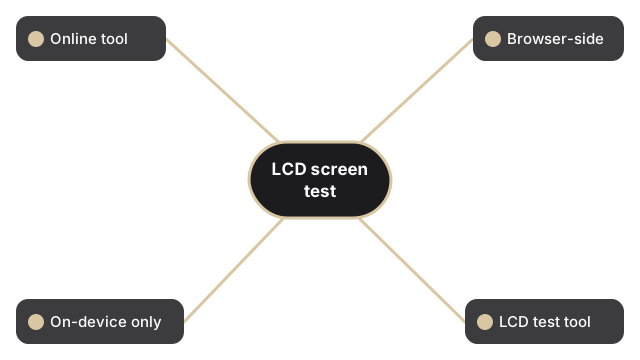
Jalankan tes layar LCD gratis di browser dalam waktu kurang dari satu menit. Pilih sebuah blok warna - merah, hijau, biru, hitam, putih, atau kuning - dan halaman akan mengecat isian solid itu ke seluruh viewport agar piksel macet, piksel mati, atau rembesan cahaya menonjol di latar belakang seragam. Tanpa instal, tanpa akun, tanpa upload.

Last reviewed: 2026-06-29

PropertiNilai
FormatAlat online, tanpa instal
KecepatanDi browser; output dalam hitungan detik
PrivasiFile tetap di perangkat
Alat implementasihttps://freetoolonline.com/device-test-tools/lcd-test.html

Di bawah blok-blok warna, halaman menampilkan tiga angka langsung tentang layar Anda: viewport aktif, resolusi layar yang diiklankan sistem operasi, dan resolusi native yang mengalikan resolusi itu dengan rasio piksel perangkat Anda. Pastikan angka native cocok dengan lembar spesifikasi laptop atau monitor Anda sebelum menandai titik mencurigakan, karena pada panel hi-DPI satu piksel CSS berada di depan beberapa sub-piksel fisik, dan sub-piksel macet bisa bersembunyi di antara mereka. Pembacaan menyegarkan setiap kali memuat, jadi pemeriksaan baru hanya satu reload saja.

Jika perlu menentukan apakah layar Anda LED atau LCD terlebih dahulu (perbedaan ini menentukan pola warna mana yang paling berguna), lihat LED test vs LCD test - mana yang berlaku untuk layar Anda. Panduan serupa tersedia di tes LCD.

Why trust these tools

  • Ten-plus years of web tooling. The freetoolonline editorial team has shipped browser-based utilities since 2015. The goal has never changed: get you to a working output fast, without an install.
  • No install, no sign-up. Open a tool and get a working output in seconds - nothing to download and no account to create. Tools that need heavy processing run it on our service, so even a low-powered machine gets the job done.
  • Analytics stops at the page view. We measure which pages get visited, not what you type or upload inside a tool. There is nothing to sign in to and no profile is attached to your input.
  • Open-source core components. The processing engines underneath (libheif, libde265, pdf-lib, terser, clean-css, ffmpeg.wasm, and others) are public and audit-able. We link to each one in its tool page's footer.
  • Free, with or without ads. All tools are fully functional without sign-up. The Disable Ads button in the header is always available if you need a distraction-free run.

Related tools:

  • Camera Test - Free camera test online: live preview, resolution readout, switch front and back camera, capture
  • Keyboard Test - Keyboard test online - press each key to highlight it, spot non-working keys, and verify Num Lock,
  • LCD Test - Test your LCD screen for dead pixels, stuck pixels, and backlight bleed.
  • Microphone Test - Free microphone test online: live spectrum meter, mic permission check, and optional speaker
  • Device Test Tools - Test camera, microphone, keyboard, and LCD online before meetings.
  • All Guides - Browser Tool Library - Free, in-browser guides on compressing files, converting HEIC, testing screens, hashing, PDFs, and
  • Screen Recorder - Record your screen, camera, or microphone in the browser, blur faces while recording, and download
  • GPU Test - WebGL Benchmark & Info - GPU Test - WebGL Benchmark & Info - See what your browser's graphics stack can do - WebGL 1 and 2
  • Regex Tester Online - Regex Tester Online - Test a regular expression against your own sample text and watch every match

Tags: #device-test, #guide, #lcd, #screen, #test

Related guides: