Split PDF Online Free
Splitting a PDF means pulling pages out of one file into smaller ones. Two routes cover almost every need: extract a single page range into one new PDF, or break every page into its own file. Both run online, free, with no account and no install.
Last reviewed: 2026-06-14
| Property | Value |
|---|---|
| Format | Online, no install, no account |
| Cost | Free |
| Best for | Pulling out a section, or separating every page |
| Output | One new PDF (range), or one PDF per page in a ZIP |
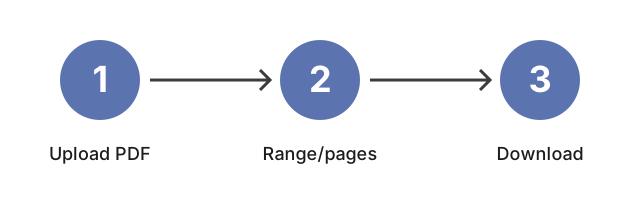
Pick the route that matches what you need. To keep a contiguous section - say pages 5 through 12 of a 40-page report - use split PDF by range: upload the file, set a start and end page, and download just that span as one new PDF. To turn a multi-page document into separate files, use split PDF to single pages: it writes one PDF per source page, numbered in order, and lets you grab them all in a single ZIP. Both upload the file, process it on the server, and return the result for download; the working copy sits in temporary storage that clears after a short retention window. The rest of the toolkit is on the PDF tools hub.
Frequently Asked Questions
How do I extract just a few pages from a PDF?
Use split by range. Upload the PDF, enter the first and last page of the section you want (for example start 5, end 12), and click Split. The tool returns those pages as a single new PDF and leaves the original file unchanged.
Can I turn every page into its own file?
Yes. Split to single pages writes one PDF for each page of the source document, numbered in order, so a 10-page file becomes 10 separate PDFs. You can download them together as a ZIP archive instead of one at a time.
Is it free, and do I need an account?
Both split tools are free and need no account or install. You upload the file, choose a page range or the per-page option, and download the result. The uploaded copy sits in temporary storage that rotates after a short retention window.