Chat With a PDF Without Uploading It - When To Use It
freetoolonline.com Editorial TeamUse Chat with PDF when you need answers out of a document you would rather not hand to a cloud service. The file is opened and read entirely in your browser - it is never uploaded anywhere - and every answer arrives with the matching passages and their page numbers, so the source is one glance away.
The document stays on your device
There is no server behind the page. The PDF is parsed in the browser, questions are matched against it in the browser, and nothing you open or type is stored past the page session - no analytics on the input, no account, no signup. When a browser cannot run any AI model, the page does not quietly fall back to a cloud service, because there is none to fall back to: it keeps working in its passage-matching mode instead.
That settles the choice for anything under a confidentiality duty - a contract draft, a medical letter, an internal report. For a document that is already public, privacy stops deciding, and the question becomes whether cited answers and instant passage search fit the job better than reading the file end to end.
Answers you can check, not just believe
Every answer turn shows the passages it worked from, each labeled with its page number. Written answers are drafted by a small on-device model working over those passages - a solid first read, not a professional analyst - and a status line names which engine produced the latest answer and which matching method ran. Checking the cited page before relying on an answer is the intended habit, and the page keeps the evidence right next to the draft to make that a one-glance step.
Three ways to get an answer, priced
Three engine paths can serve a question, and none of them is assumed - the page detects what your browser offers and states what each path costs before you commit to it.
| Path | First cost | What you get |
|---|---|---|
| Built-in browser AI | Zero download | Written answers on Chrome versions that ship it; the page feature-detects it and never assumes it is there |
| On-device language model | One-time download on an explicit click, size shown before it starts | Written answers drafted over the matching passages |
| Passage matching only | Zero download | The most relevant passages with their page numbers, instantly |
Useful before any download
The zero-download mode is not a placeholder. Even without any AI model, the page finds and shows the most relevant passages for a question - which is often the whole job when what you really want is to locate where a long manual covers a topic. A built-in sample document and a prefilled sample question render a live result the moment the page loads, so the output shape is visible before you open anything of your own.
A 25 MB upgrade that matches by meaning
Out of the box, passages are matched by keyword overlap. An optional matching model of about 25 MB - the size is stated before the download starts - upgrades that search to matching by meaning, so a question worded differently from the document can still land on the right passage. Model downloads are one-time and cached by the browser, and the language-model cache is shared with the Private AI Chat page: a model loaded on one page is instantly available on the other.
When this page is the wrong tool
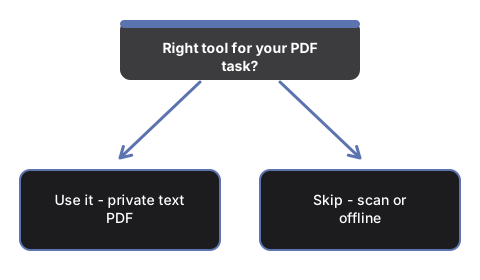
A scanned or photographed PDF has no text layer and returns nothing here - the page warns you when a file looks scanned instead of failing silently, and the fix it names is running OCR first. Very long documents are read up to the first 300 pages, and that limit is stated in the tool itself. It also works on one document at a time: opening a new PDF clears the transcript, so cross-document questions need separate sessions.
Two neighbouring jobs are deliberately left to other pages. If you want all the text out of a PDF rather than answers to questions, PDF to Text extracts it in one pass. If your question is not about a document at all, the Private AI Chat page is the open-ended surface. And there is no offline promise anywhere in between: the page itself and any model download need the network first - what is guaranteed local is the handling of your PDF.
Where to go from here
For the run itself - what is already on the page when it loads and which control to touch in which order - see Chat With a PDF in Your Browser - Step by Step. To weigh this page against cloud PDF chat services and the neighbouring extraction page, see Private PDF Chat vs Cloud PDF Chat Services.
Why trust these tools
- Ten-plus years of web tooling. The freetoolonline editorial team has shipped browser-based utilities since 2015. The goal has never changed: get you to a working output fast, without an install.
- No install, no sign-up. Open a tool and get a working output in seconds - nothing to download and no account to create. Tools that need heavy processing run it on our service, so even a low-powered machine gets the job done.
- Analytics stops at the page view. We measure which pages get visited, not what you type or upload inside a tool. There is nothing to sign in to and no profile is attached to your input.
- Open-source core components. The processing engines underneath (libheif, libde265, pdf-lib, terser, clean-css, ffmpeg.wasm, and others) are public and audit-able. We link to each one in its tool page's footer.
- Free, with or without ads. All tools are fully functional without sign-up. The Disable Ads button in the header is always available if you need a distraction-free run.