Triceratops 3D Viewer vs ứng dụng AR
Triceratops 3D Viewer chạy WebGL quy mô xe buýt trường trên trình duyệt, không tài khoản và không AR quy mô phòng - dùng ứng dụng AR điện thoại khi cần hình bóng trong không gian, và bảo tàng khi muốn xương thật.
Tùy chọn Triceratops song song
Các lựa chọn Triceratops 3D Viewer song song đặt viewer trình duyệt, AR điện thoại và bảo tàng trong một bảng trên Triceratops 3D Viewer để bạn quét cài đặt, đặt chỗ và độ trung thực kích thước trước khi chọn.
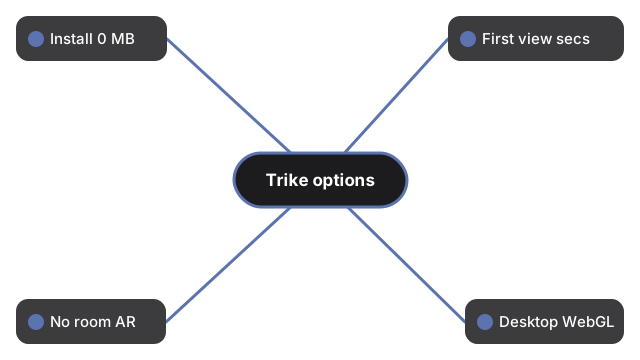
Các hàng này so sánh những gì viewer Triceratops thực sự giao với ứng dụng AR điện thoại thông thường, chuyến thăm bảo tàng và ảnh tĩnh:
| Khía cạnh | Viewer 3D trên trình duyệt | Ứng dụng AR điện thoại | Bảo tàng / ảnh tĩnh |
|---|---|---|---|
| Cài đặt / tải | 0 MB app; three.js vendored và cache sau lần tải đầu | Thường 50 đến 500 MB trên store | Thời gian đi lại; hoặc 0 MB cho ảnh |
| Thời gian đến lần xem đầu | Vài giây - một lần tải trang; engine lazy-load sau paint | Vài phút - cài, quyền, tracking | Vài giờ cho chuyến thăm; tức thì với ảnh |
| Đặt trong phòng thật | Không - chỉ quay quanh trên màn phẳng | Có - AR thật khi tracking chạy | Quy mô phòng triển lãm trực tiếp; không trong ảnh |
| Desktop không điện thoại | Có - trình duyệt hiện tại có WebGL | Thường không | Ảnh có; bảo tàng không |
| Số liệu kích thước sẵn | Có - khoảng 8-9 m, vai khoảng 3 m, khoảng 5.4-10 t, 68-66 Mya | Tùy ứng dụng | Nhãn khác nhau; ảnh ít khi mang đủ bảng |
| Trung thực tái tạo | Là nghệ thuật; vai trò phòng thủ vs trưng bày của frill vẫn tranh luận | Thường bán một câu chuyện "frill giáp" duy nhất | Xương thật; màu vẫn diễn giải |
Khi nào viewer Triceratops trên trình duyệt phù hợp
Chọn Triceratops trên trình duyệt khi bạn muốn kéo-quay quanh một ceratopsian bộ tứ chân, Size vs human với chiều dài đại diện khoảng 8 m (khoảng công bố khoảng 8-9 m; một số nguồn ghi 6-8.5 m cho loài type), và chạm frill, đầu có sừng, hoặc chân mà không cài đặt. Không gì về lần ghé thăm được gửi lên máy chủ - tốt cho laptop lớp học hoặc kiểm tra nhanh số liệu Kỷ Creta muộn ở tây Bắc Mỹ (68-66 Mya; đặt tên 1889 bởi Othniel Charles Marsh sau holotype Lance Formation 1888).
Khi nào ứng dụng AR hoặc bảo tàng tốt hơn
Ứng dụng AR điện thoại thắng khi bạn cần hình bóng trên sàn phòng khách; viewer này không bao giờ claim đặt trong phòng. Bảo tàng thắng khi đi bên xương ceratopsian ghép và cảm nhận quy mô phòng - gồm mẫu như Big John khoảng 8 m. Ảnh tĩnh chỉ thắng khi bạn cần một khung chia sẻ không tương tác.
So sánh Triceratops này không phải gì
Trong Triceratops 3D Viewer, đây là bảng trade-off cho viewer đã ship - không xếp hạng thương hiệu AR, không biết tính năng AR trang không có, và không kết luận chức năng frill hay không chế độ bầy đàn / chiến đấu sừng. Hướng dẫn điều khiển xem cách xem Triceratops trong 3D. Chiều dài và cân nặng bên người 1.8 m xem so sánh kích thước Triceratops.
Why trust these tools
- Ten-plus years of web tooling. The freetoolonline editorial team has shipped browser-based utilities since 2015. The goal has never changed: get you to a working output fast, without an install.
- No install, no sign-up. Open a tool and get a working output in seconds - nothing to download and no account to create. Tools that need heavy processing run it on our service, so even a low-powered machine gets the job done.
- Analytics stops at the page view. We measure which pages get visited, not what you type or upload inside a tool. There is nothing to sign in to and no profile is attached to your input.
- Open-source core components. The processing engines underneath (libheif, libde265, pdf-lib, terser, clean-css, ffmpeg.wasm, and others) are public and audit-able. We link to each one in its tool page's footer.
- Free, with or without ads. All tools are fully functional without sign-up. The Disable Ads button in the header is always available if you need a distraction-free run.