Sauropelta in 3D ansehen
Sauropelta 3D Viewer zeigt einen nordamerikanischen Nodosauriden der Fruehkreide - Laenge etwa 5.2-6 m (Panel 5.5 m), Masse etwa 1.5-2 Tonnen (Panel 1750 kg). Ziehen, zoomen, 1.8 m Person umschalten und eine Koerperregion anklicken.
Sauropelta-Seite oeffnen und Kamera steuern
Oeffne den Sauropelta 3D Viewer und warte, bis das Faktenpanel gefuellt ist. Wenn die Statuszeile Drag erlaubt, orbiere mit dem Zeiger und zoome mit Rad oder Pinch. Fullscreen haelt die Buttons sichtbar. Ein CC-BY-SA 4.0-glTF kann nach dem Erstpaint vom CDN kommen; bei Fehler bleibt die prozedurale Ankylosaurier-Silhouette.
Vier Sauropelta-Steuerungen unter der Leinwand
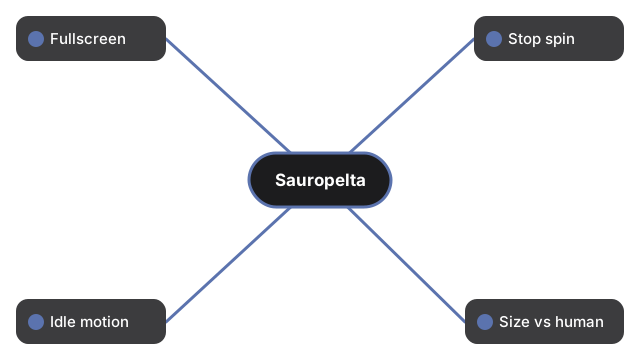
Vier Steuerungen: Fullscreen; Stop rotation / Auto-rotate; Idle motion; Size vs human im ehrlichen Panel-Verhaeltnis 5.5 m (Bereich etwa 5.2-6 m).
Faktenpanel lesen und Koerperteil anklicken
Laenge etwa 5.2-6 m (Panel 5.5 m), Huefthoehe etwa 1.5 m, Masse etwa 1.5-2 Tonnen (Panel 1750 kg), Fenster etwa 110-108 Mya in der Cloverly Formation von Wyoming und Montana, Pflanzenfresser, John Ostrom 1970. Nodosauriden haben keine Schwanzkeule; Verteidigung umfasst Panzer und grosse Nackenstacheln. Weichteilfarbe ist kuenstlerische Rekonstruktion. Das Printables-glTF CC-BY-SA 4.0 von seth the yutyrannus ist stilisiert, kein Laserscan. Kein fossilgenaues Skelett.
Was dieser Leitfaden nicht ist
Nur Steuerungs-Walkthrough - kein AR, keine Laenge ausserhalb 5.2-6 m, keine Schwanzkeule, keine Spielpunkte. Siehe Groessenvergleich und vs AR-Apps.
Why trust these tools
- Ten-plus years of web tooling. The freetoolonline editorial team has shipped browser-based utilities since 2015. The goal has never changed: get you to a working output fast, without an install.
- No install, no sign-up. Open a tool and get a working output in seconds - nothing to download and no account to create. Tools that need heavy processing run it on our service, so even a low-powered machine gets the job done.
- Analytics stops at the page view. We measure which pages get visited, not what you type or upload inside a tool. There is nothing to sign in to and no profile is attached to your input.
- Open-source core components. The processing engines underneath (libheif, libde265, pdf-lib, terser, clean-css, ffmpeg.wasm, and others) are public and audit-able. We link to each one in its tool page's footer.
- Free, with or without ads. All tools are fully functional without sign-up. The Disable Ads button in the header is always available if you need a distraction-free run.