Triceratops in 3D ansehen
Triceratops 3D Viewer zeigt einen vierbeinigen Ceratopsier in Schulbus-Laenge im Browser - ziehen zum Drehen, scrollen oder kneifen zum Zoomen, eine 1.8-m-Person fuer den Massstab aktivieren und Frill, Horn oder Bein anklicken fuer einen Teil-Fakt.
Oeffne die Triceratops-Seite und nimm die Kamera
Oeffne den Triceratops 3D Viewer und warte, bis das Faktenpanel fuellt. Wenn die Statuszeile sagt, dass du ziehen kannst, orbite den Triceratops mit dem Zeiger und zoome mit dem Rad oder zwei Fingern. Fullscreen vergroessert den Wrapper und haelt die Controls sichtbar.
Nutze die vier Triceratops-Controls unter dem Canvas
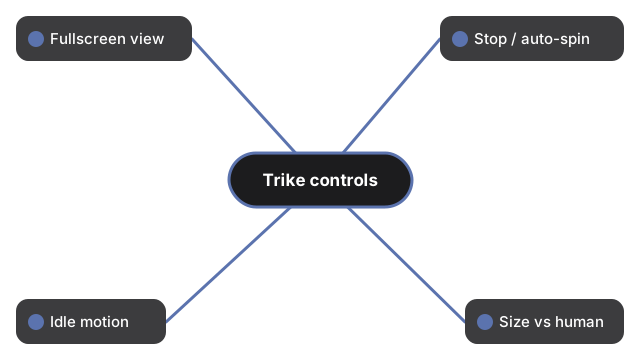
Unter dem Triceratops-Canvas steuern vier Controls Ansicht und Massstab:
- Fullscreen - fuellt die Anzeige und haelt die Buttons sichtbar
- Stop rotation / Auto-rotate - friert oder setzt die Auto-Drehung fort
- Idle motion - fuegt leichte Atmung und Beinschwung hinzu; erneut tippen fuer Stand still
- Size vs human - zeigt eine 1.8-m-Person im ehrlichen Laengenverhaeltnis zur repraesentativen Figur von etwa 8 m (veroeffentlichter Bereich etwa 8-9 m; manche Quellen nennen 6-8.5 m fuer die Typusart)
Lies das Faktenpanel und klicke Koerperteile
Das Panel listet Laenge (etwa 8-9 m), Schulterhoehe etwa 3 m (Specimen-Bereich etwa 2.3-3.8 m), Gewicht etwa 5.4-10 metrische Tonnen, das 68-66-Mya-Fenster der Spaetkreide in Westnordamerika, Diet (Herbivore) und die Benennung 1889 durch Othniel Charles Marsh nach dem Holotyp 1888 der Lance Formation. Ein kurzer Klick - kein Drag - auf Frill, Kopf (Hoerner) oder Bein wechselt die Notiz; Klick ins Leere kehrt zum Artenblatt zurueck. Brauenhoerner etwa 1 m je, plus kleiner Nasenhorn; der Schaedel konnte fast 3 m erreichen. Hautfarbe ist kuenstlerische Rekonstruktion; die Frill-Rolle Verteidigung versus Display bleibt auf der Seite debattiert.
Was dieser Triceratops-How-to-Guide nicht ist
Dieser Guide ist ein Steuerungs-Walkthrough fuer den Browser-Viewer - er platziert das Modell nicht in deinem Raum (kein AR), behauptet keine Weichteilgenauigkeit und schliesst weder die Frill-Funktion noch Herden- oder Kampfmechanik ab. Zur Groessengeschichte siehe Triceratops-Groessenvergleich. Zu AR-Apps siehe Triceratops 3D Viewer vs AR-Apps.
Why trust these tools
- Ten-plus years of web tooling. The freetoolonline editorial team has shipped browser-based utilities since 2015. The goal has never changed: get you to a working output fast, without an install.
- No install, no sign-up. Open a tool and get a working output in seconds - nothing to download and no account to create. Tools that need heavy processing run it on our service, so even a low-powered machine gets the job done.
- Analytics stops at the page view. We measure which pages get visited, not what you type or upload inside a tool. There is nothing to sign in to and no profile is attached to your input.
- Open-source core components. The processing engines underneath (libheif, libde265, pdf-lib, terser, clean-css, ffmpeg.wasm, and others) are public and audit-able. We link to each one in its tool page's footer.
- Free, with or without ads. All tools are fully functional without sign-up. The Disable Ads button in the header is always available if you need a distraction-free run.