Formato de Foto del iPhone Explicado
Last reviewed: 2026-07-02
Free Tool Online editorial teamUltima revision: 2026-07-02. Usa HEIC a JPG cuando necesitas compartir una foto del iPhone fuera de dispositivos Apple.
Los cuatro formatos y cuando iOS los usa
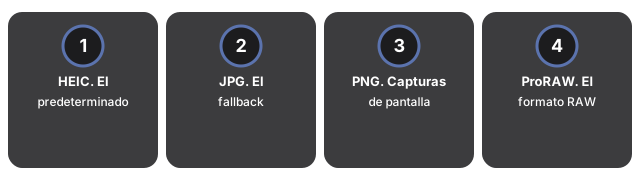
- HEIC. El predeterminado desde iOS 11 en iPhone 7 y mas nuevos. Aproximadamente 50% mas pequeno que JPG en la misma calidad visual. Nativo en iPhone, iPad, Mac. No nativo en Windows o Android.
- JPG. El fallback universal. iOS usa JPG cuando la foto va a un destino no-Apple via hoja de compartir.
- PNG. Capturas de pantalla y algunas ediciones. Sin perdidas y grande.
- ProRAW. El formato RAW de Apple, disponible en modelos Pro. Para edicion en Lightroom; no para compartir.
Para conversion por lotes, usa HEIC a JPG en tu navegador. Paso a paso: how to convert an iPhone photo to JPG para fotos individuales o how to convert 100 HEIC photos to JPG para proceso por lotes.
El panel en el navegador de ese mismo conversor permite elegir el formato de salida del lote - JPG, PNG o WebP - así que no estás limitado al JPG solo porque es el más compatible; elige PNG si el lote mezcla capturas de pantalla y quieres mantenerlas sin pérdida. Al seleccionar varias fotos HEIC, la conversión ocurre una por una con una tarjeta de descarga por foto; con dos o más terminadas, un solo botón empaqueta todo el lote en un ZIP en lugar de descargar cada foto por separado. La salida en PDF de varias páginas sigue siendo solo del lado del servidor - el panel en el navegador cubre JPG, PNG y WebP.
Abrir formatos de iPhone en Windows, Android y apps de chat
Abrir formatos de iPhone en Windows, Android y apps de chat significa instalar soporte HEIF donde el SO no lo trae, o convertir HEIC a JPG primero - en iPhone Photo Format Explained el formato solo duele al compartir.
Las apps de chat recodifican en silencio, lo que cambia las cuentas. WhatsApp convierte un HEIC a JPG al enviar y recomprime a cerca del 80-85% de calidad, asi que el destinatario nunca ve tu original; Messenger y el modo comprimido de Telegram hacen lo mismo. La app de Mail es la excepcion que conviene conocer: su selector de tamano (Pequeno, Mediano, Grande, Tamano real) solo conserva el HEIC intacto en "Tamano real" - las otras tres reducen y convierten a JPG. Cuando necesitas los bytes originales intactos, comparte a traves de Archivos o convierte localmente primero con HEIC a JPG.
| Destino | Que le pasa a un HEIC | Cambio tipico de tamano | Envia esto en su lugar |
|---|---|---|---|
| Windows / Android | Vista previa en blanco sin una extension instalada | Convertir a JPG: ~1,5x mas grande pero abre en todas partes | JPG |
| WhatsApp / Messenger | Convertido automaticamente a cerca de 85% JPG | La plataforma recodifica a ~80-85% de calidad JPG | Convierte localmente primero para calidad total |
| Gmail / la mayoria de correos | El adjunto llega, pero el destinatario puede ver el icono equivocado | La copia JPG suele ser 30-50% mas grande en bytes | JPG |
| Lightroom / editor de fotos | Se abre, pero con menos margen que RAW | Los archivos ProRAW pesan 25-50 MB frente a 1,5-2,5 MB del HEIC | ProRAW o el HEIC original |
Why trust these tools
- Ten-plus years of web tooling. The freetoolonline editorial team has shipped browser-based utilities since 2015. The goal has never changed: get you to a working output fast, without an install.
- No install, no sign-up. Open a tool and get a working output in seconds - nothing to download and no account to create. Tools that need heavy processing run it on our service, so even a low-powered machine gets the job done.
- Analytics stops at the page view. We measure which pages get visited, not what you type or upload inside a tool. There is nothing to sign in to and no profile is attached to your input.
- Open-source core components. The processing engines underneath (libheif, libde265, pdf-lib, terser, clean-css, ffmpeg.wasm, and others) are public and audit-able. We link to each one in its tool page's footer.
- Free, with or without ads. All tools are fully functional without sign-up. The Disable Ads button in the header is always available if you need a distraction-free run.