Titanoboa 3D Viewer vs apps AR
Titanoboa 3D Viewer ejecuta WebGL de serpiente del Paleoceno en el navegador sin cuenta y sin AR a escala de sala - usa una app AR en el telefono para colocar en la sala, y un museo para hueso real.
Opciones Titanoboa lado a lado
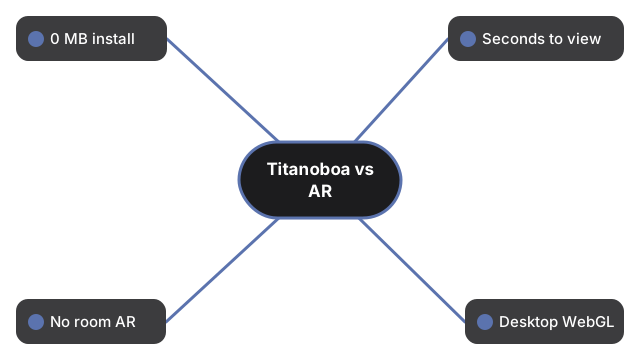
Estas filas comparan lo que el visor Titanoboa realmente entrega frente a apps AR tipicas, visita a museo y foto estatica:
| Aspecto | Visor 3D en el navegador | App AR en el telefono | Museo / imagen estatica |
|---|---|---|---|
| Instalacion / descarga | 0 MB de app; three.js vendored y en cache tras la primera carga | A menudo 50 a 500 MB en la tienda | Tiempo de viaje; o 0 MB para una foto |
| Tiempo hasta la primera vista | Segundos - una carga de pagina; motor lazy-load tras paint; glTF opcional puede entrar despues | Minutos - instalar, permisos, tracking | Horas para visita; instantaneo para foto |
| Colocar en una sala fisica | No - solo orbitar en pantalla plana | Si - AR verdadero cuando el tracking funciona | Escala de sala en persona; ninguna en una foto |
| Escritorio sin telefono | Si - navegador actual con WebGL | Normalmente no | Foto si; museo no |
| Figuras de tamano publicadas a mano | Si - cerca de 12.8 m media (hasta cerca de 14.3 m); masa cerca de 1135 kg media (730-1819 kg); mitad del cuerpo cerca de 0.7-1.0 m (panel 0.8 m); 60-58 Mya Cerrejon Colombia; Head et al. 2009 | Varia por app | Etiquetas varian; la foto rara vez trae la ficha completa |
| Grupo / honestidad de la reconstruccion | Serpiente boidea gigante (no dinosaurio); color de tejido blando artistico; glTF CC-BY-SA 4.0 opcional (seth the yutyrannus via Printables) estilizado, no escaneo laser; fallback procedural silencioso | A menudo vendido como pieles de "dinosaurio" | Los huesos son reales; el color sigue siendo interpretativo |
Cuando encaja el visor Titanoboa en el navegador
Elige el visor Titanoboa en el navegador cuando quieras orbitar una serpiente gigante del Paleoceno con Size vs human en la razon honesta de 12.8 m media y hacer clic en hechos - sin instalar nada. Nada de la visita se envia a un servidor.
Cuando encaja mejor una app AR o un museo
Una app AR en el telefono gana cuando necesitas la silueta en el suelo de la sala; este visor nunca afirma colocacion en sala. Un museo gana para caminar junto a montajes reales de serpiente o reptil marino. Una imagen estatica gana solo cuando necesitas un unico fotograma compartible sin interactividad.
Lo que esta comparacion Titanoboa no es
Esta comparacion Titanoboa es una tabla de trade-offs del visor enviado - no es un ranking de marcas AR comerciales, no inventa funciones AR que la pagina no tiene, no afirma que Titanoboa era un dinosaurio, no afirma que el glTF opcional sea una reconstruccion cientificamente exacta y no inventa puntuacion de juego. Para el tutorial de controles ve como ver Titanoboa en 3D. Para longitud y peso junto a una persona de 1.8 m ve comparacion de tamano de Titanoboa.
Why trust these tools
- Ten-plus years of web tooling. The freetoolonline editorial team has shipped browser-based utilities since 2015. The goal has never changed: get you to a working output fast, without an install.
- No install, no sign-up. Open a tool and get a working output in seconds - nothing to download and no account to create. Tools that need heavy processing run it on our service, so even a low-powered machine gets the job done.
- Analytics stops at the page view. We measure which pages get visited, not what you type or upload inside a tool. There is nothing to sign in to and no profile is attached to your input.
- Open-source core components. The processing engines underneath (libheif, libde265, pdf-lib, terser, clean-css, ffmpeg.wasm, and others) are public and audit-able. We link to each one in its tool page's footer.
- Free, with or without ads. All tools are fully functional without sign-up. The Disable Ads button in the header is always available if you need a distraction-free run.