Unlock Zip File Online
Unlock a ZIP one of two ways: if the file asks for a password, take it to remove-zip-password with the password you were given; if it opens freely, extract it at unzip-file. Both tools run in-browser.
freetoolonline.com Editorial Team| Property | Value |
|---|---|
| Format | Online tool, no install |
| Speed (plain extract) | Under 5 s for ZIPs under 100 MB |
| Speed (password removal) | Under 30 s for most protected ZIPs |
| Privacy | Plain extract runs in the browser tab - no upload |
| For plain ZIPs | https://freetoolonline.com/zip-tools/unzip-file.html |
| For password-protected ZIPs | https://freetoolonline.com/zip-tools/remove-zip-password.html |
If you double-click the ZIP on Windows or macOS and the operating system shows a prompt asking for a password before any file appears, the archive is password-protected and the extractor cannot proceed without the original password. Take the ZIP to https://freetoolonline.com/zip-tools/remove-zip-password.html and supply the password you were given by the sender; the tool produces a copy of the archive with the password removed so any standard extractor opens it without further prompts. If you never received a password, the sender forgot to share it - get it from them; password recovery is not the same workflow.
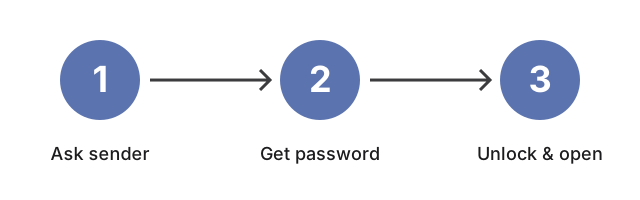
Password recovery and password removal are different workflows. Removal means you already know the password and want a copy of the archive without the lock - that is what https://freetoolonline.com/zip-tools/remove-zip-password.html does. Recovery means guessing or brute-forcing the password against the archive header, which this site does not implement. The figure above marks the distinction so you can route to the right tool without wasting time on the wrong one.
If the ZIP opens to a folder tree without asking for anything, the archive is not password-protected; it just needs an extractor. Take it to https://freetoolonline.com/zip-tools/unzip-file.html, drop the file into the upload area, browse the contents in the tree the page renders, and click any file inside to download it on its own. Selective extraction is useful when the ZIP is large and you only need a single file rather than the full payload; the original archive and the extracted copies stay private to your browser session.