Zip File Converter
Compress folders and files into a ZIP archive online. Add optional password protection and download a smaller file fast, free, and secure. The tool runs from a normal browser tab; no installer and no account are required.
Last reviewed: 2026-09-11
| Property | Value |
|---|---|
| Format | Online tool, no install |
| Speed | Output downloaded in seconds for typical inputs |
| Privacy | Uploads served via HTTPS; output files rotate after the configured retention window |
| Implementing tool | https://freetoolonline.com/zip-tools/zip-file.html |
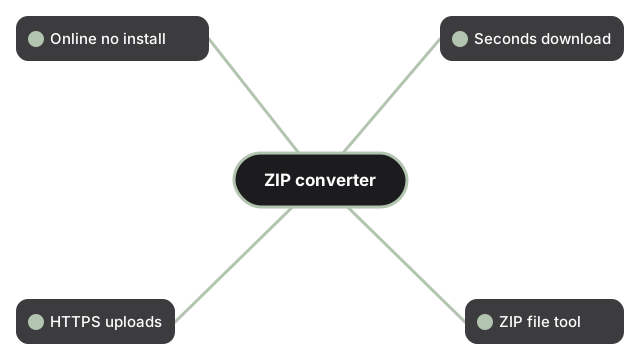
The implementing tool sits at https://freetoolonline.com/zip-tools/zip-file.html and accepts both individual files and folders. Pick the items you want bundled, decide whether to add a password (optional, and removable later via Remove ZIP password), then click the convert button. The output is a single .zip archive your browser downloads to its default folder. For a more granular look at what the converter does and does not do (compression ratios, included metadata, supported source file types), see the companion disambiguation guide Zip File Converter - what it actually does.
Compression ratios by file type
ZIP compression works best on uncompressed data. Text, code, JSON, and CSV shrink 60-80% inside a ZIP. Office documents shrink 10-25%; PDFs 5-15%. Already-compressed files - JPG, PNG, HEIC photos and video files - change only 0-5%. Bundling them in one archive is still useful for sending a single file, but a large photo folder will not become meaningfully smaller just from zipping.
Server mode versus in-browser mode
The tool offers two conversion paths. The server mode uploads your files over HTTPS, applies optional AES-256 password protection, and returns a completed archive - choose this when you need a password-locked ZIP. The in-browser mode builds the ZIP entirely on your device without uploading anything - choose this when your files are private and no password is needed. Both paths produce a standard .zip archive you download directly.
Related guides and tools
Related guides and tools for the same ZIP job: need a shorter route from loose files into a ZIP? Start at File to ZIP. To open the archive again later, use Unzip File - this guide only points at the compressor; it does not unpack archives itself.
Settings panel options
The Settings panel on https://freetoolonline.com/zip-tools/zip-file.html covers more than the password toggle. You can type a custom name for the output archive instead of accepting the default file name - useful when you are producing several ZIPs in the same session and want them distinguishable at a glance. On the server path, the password option is not limited to one encryption method: the panel exposes three choices - Standard, AES-128, and AES-256 - so you can match the encryption strength to what the archive's recipient needs to open it with. Typical reasons people reach for this tool: attaching several files to an email under a provider's size cap (commonly 25MB), uploading one file to cloud storage instead of many separate round-trips, handing off a project folder to someone else while keeping its internal folder structure intact, or making a quick backup copy before changing something on a system.
Frequently Asked Questions
Can I name the output ZIP file myself?
Yes. The Settings panel on the implementing tool includes a field for a custom archive name; enter one there and the downloaded file uses that name instead of the default.
Can I control the compression level when using the in-browser (client) mode?
Yes. The in-browser path exposes a compression level from 0 to 9. Level 0 stores files with no compression at all (fastest, largest output); levels 1 through 9 use standard DEFLATE compression, with higher numbers trading more processing time for a smaller file.
Does the in-browser mode keep my folder structure?
Yes, when the "Keep folder structure" option is turned on. Each file's path relative to the folder you selected is preserved inside the archive, so extracting it later reproduces the same folder layout rather than a flat list of files.
Does the in-browser mode show progress while it works?
Yes. Because the archive is built on your device rather than uploaded, the page can show a live progress bar tied directly to the ZIP-building process as it runs.
Does the in-browser mode tell me how much smaller the file got?
Yes. Once the archive finishes building, the page reports the original combined size against the zipped size, expressed as the percentage smaller the ZIP turned out to be.