How to compress a ZIP file to 100 KB
Whether a ZIP archive can reach 100 KB depends on what is inside. Plain-text logs, CSV exports, or source code compress well - a 1 MB log folder often packs under 150 KB. JPG photos, MP4 clips, and already-compressed PDFs do not shrink meaningfully, because their codecs already removed the redundancy the ZIP wrapper needs.
Last reviewed: 2026-05-17
Free Tool Online editorial team| Property | Value |
|---|---|
| Where the ZIP is built | In your browser; no install, no account, no watermark |
| Realistic cap for a text-heavy folder | 200 MB of logs/CSV often packs to ~30-50 MB; 1 MB of logs often packs to ~150-250 KB |
| Realistic cap for a photo-heavy folder | 200 MB of JPG photos packs to ~198-205 MB (no real shrink) |
| Implementing tool | https://freetoolonline.com/zip-tools/zip-file.html |
Pick the inputs that can hit 100 KB on their own
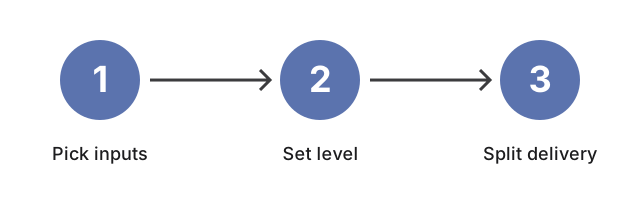
The realistic path to a 100 KB archive is to shrink the inputs first, not to lean on the ZIP compression level. Plain-text inputs compress aggressively because they have long stretches of repeated tokens; a 1 MB folder of access logs, CSV exports, or source code often packs down past 200 KB and sometimes under 100 KB inside a single .zip. JPG photos, MP4 videos, MP3 audio, and most PDFs come into the archive already compressed; the ZIP wrapper cannot reduce them further and will sometimes add a few percent of packaging overhead. If the inputs are media-heavy, the 100 KB target is usually unrealistic without re-encoding the media first - shrink the JPGs or re-export the video at a lower bitrate before archiving.
What "compression level" does and does not do
What "compression level" does and does not do is trade CPU time for a few more kilobytes saved - on How to compress a ZIP file to 100 KB higher levels rarely beat picking a smaller source file first.
When the 100 KB target is unreachable, split the package
For an attachment limit of 100 KB or a hosting-quota cap of the same size, the workable answer is sometimes to split the delivery rather than fight the archive. ZIP the compressible inputs together - the text-like files - and they often land under 100 KB on their own; send the media files in a separate channel (a file-sharing link, a cloud-storage URL, or a smaller follow-up archive) where the 100 KB cap does not apply. The two-package delivery is usually smaller and more reliable than a single ZIP that fails the size check.
Related
For the broader "when does compressing a folder into a ZIP actually save space?" question, read the sibling guide https://freetoolonline.com/zip-tools/zip-file.html for the size-trade context, or https://freetoolonline.com/guides/en/how-to-reduce-zip-file-size-online.html for the general "shrink this ZIP" walkthrough. When you are ready to build the archive, the in-browser creator at https://freetoolonline.com/zip-tools/zip-file.html is one click away.