ZIP password unlocker: when an online tool can remove a password (and when it cannot crack one)
"ZIP password unlocker" splits cleanly into two very different reader tasks. Task one: you have a .zip archive AND you know the password (your own backup, a project handover, a colleague's send), and you want a copy of the archive without the password layer so the files open without re-typing. Task two: you have a .
Last reviewed: 2026-07-01
FreetoolOnline editorial team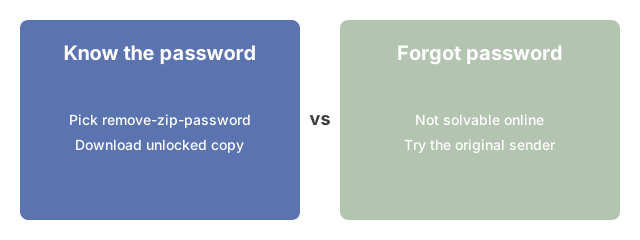
| Question | Answer |
|---|---|
| Do you know the password? | If YES, use https://freetoolonline.com/zip-tools/remove-zip-password.html - it rebuilds the archive without the password layer and gives you the unlocked copy. |
| Do you NOT know the password? | No legitimate online tool will guess it. AES-256 ZIP encryption is mathematically infeasible to brute-force in any practical time. Try common-pattern attempts (see below), then ask the sender or recreate the archive. |
| Supported archive types | .zip only (no .rar, .7z, .tar, .gz, encrypted .pdf, encrypted .docx). |
| What stays the same | The original .zip on your device is unchanged. The remover produces a new, unlocked copy as a download. |
| Privacy stance | The archive uploads over HTTPS, the server rebuilds it without the password, the unlocked copy downloads back, and the uploaded copy is auto-deleted after a short retention window. No account or sign-in. |
What the unlocker on this site actually does
What the unlocker on this site actually does is take a password you already know, open the ZIP in the browser with Remove ZIP Password, and let you download an unlocked copy - it does not guess or crack unknown passwords.
If you forgot the password but the archive is yours
If you forgot the password but the archive is yours: check password managers, old chat threads, and the tool that created the ZIP - then retry Remove ZIP Password with the recovered phrase; rebuilding from source files is faster than brute force.
If you do not know the password and never did
If you do not know the password and never did, the ZIP password unlocker on this site will not help - ask the sender for the phrase or rebuild the archive from originals; guessing is out of scope for this guide.
Where to go next
If you have the password and want an unlocked copy: https://freetoolonline.com/zip-tools/remove-zip-password.html. If you want to create a fresh password-protected archive: https://freetoolonline.com/zip-tools/zip-file.html. If you want to repackage source files into a new (unprotected) archive: https://freetoolonline.com/zip-tools/zip-file.html. For the wider question of what each archive password type means (encryption-on-the-contents vs comment-only flag): see the password-type guide for the PDF analogue; ZIP follows the same content-vs-comment distinction. For when ZIP compression actually saves space rather than the encryption layer: see compress ZIP. To understand the difference between a short weak password and a long AES-256 password and which an online tool can handle: see ZIP password types - strong vs weak explained. If you have forgotten the password and want to understand your recovery options beyond the tools on this site: see ZIP password recovery online. If you are not yet sure whether your ZIP even has a password at all: see open a password-protected ZIP online for the quick two-path check before picking a tool.