Cara melihat Troodon 3D
Troodon 3D Viewer menjalankan theropod Eropa kecil seukuran ayam - panjang sekitar 2.4 m di panel, massa sekitar 50 kg. Seret, zoom, nyalakan orang 1.8 m dan klik bagian tubuh.
Buka halaman Troodon dan ambil kamera
Buka Troodon 3D Viewer dan tunggu panel fakta terisi. Orbit dengan pointer dan zoom dengan roda atau cubit. Fullscreen menjaga kontrol terlihat. glTF CC-BY-SA 4.0 dapat dimuat dari CDN; jika gagal, siluet theropod procedural tetap.
Gunakan empat kontrol Troodon di bawah kanvas
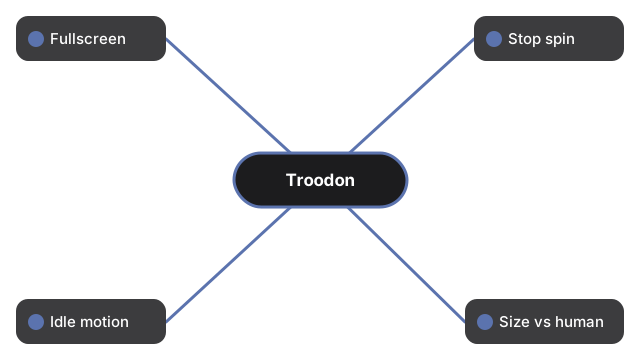
Empat kontrol di bawah kanvas Troodon:
- Fullscreen - mengisi layar sambil menjaga tombol terlihat
- Stop rotation / Auto-rotate - membekukan atau melanjutkan putar otomatis
- Idle motion - menambah goyangan halus; ketuk lagi untuk Stand still
- Size vs human - menampilkan orang 1.8 m pada rasio panjang panel jujur (2.4 m)
Baca panel fakta Troodon dan klik bagian tubuh
Panjang sekitar 1-3 m antar spesimen (Jerman sekitar 0.7-0.9 m; Prancis dewasa sekitar 1.25-1.4 m; panel 2.4 m), tinggi pinggul sekitar 0.20-0.6 m (panel 0.6 m), massa sekitar 10-50 kg (panel 50 kg), Kreta Akhir sekitar 150 juta tahun lalu di Solnhofen (Jerman) dan Canjuers (Prancis), carnivore (vertebrata kecil), Leidy 1856. Warna jaringan lunak rekonstruksi artistik. glTF Printables 747521 bergaya, bukan laser scan. Bukan kerangka fosil akurat.
Apa yang panduan how-to Troodon bukan
Hanya walkthrough kontrol - tanpa AR, tanpa massa tunggal di luar 10-50 kg, tanpa mencampur spesimen terbitan, tanpa skor permainan. Lihat perbandingan ukuran dan vs aplikasi AR.
Why trust these tools
- Ten-plus years of web tooling. The freetoolonline editorial team has shipped browser-based utilities since 2015. The goal has never changed: get you to a working output fast, without an install.
- No install, no sign-up. Open a tool and get a working output in seconds - nothing to download and no account to create. Tools that need heavy processing run it on our service, so even a low-powered machine gets the job done.
- Analytics stops at the page view. We measure which pages get visited, not what you type or upload inside a tool. There is nothing to sign in to and no profile is attached to your input.
- Open-source core components. The processing engines underneath (libheif, libde265, pdf-lib, terser, clean-css, ffmpeg.wasm, and others) are public and audit-able. We link to each one in its tool page's footer.
- Free, with or without ads. All tools are fully functional without sign-up. The Disable Ads button in the header is always available if you need a distraction-free run.