Initializing, please wait a moment

Teste de Camera Frontal

Confirme que sua camera selfie funciona: abra o teste de camera, clique em Start Camera para conceder permissao ao navegador e uma previa ao vivo aparece com a resolucao informada pelo dispositivo. Se iniciar na lente traseira, toque em Switch para selecionar a camera frontal.

PropriedadeValor
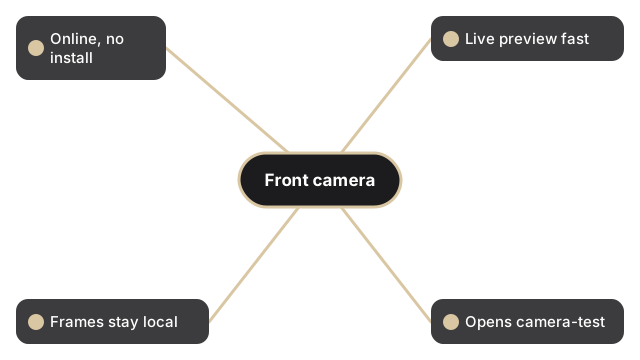
FormatoFerramenta online, sem instalacao
VelocidadeNo navegador; previa ao vivo em segundos
PrivacidadeOs quadros ficam no dispositivo, nada e enviado
Ferramenta de implementacaohttps://freetoolonline.com/device-test-tools/camera-test.html
Resolucao tipica (smartphone frontal)1920x1080 (Full HD); versoes recentes: 4K a 60 fps
Compatibilidade de navegadorChrome 47+, Firefox 44+, Edge 18+, Safari 11+

Esta e uma verificacao de permissao, previa e captura, nao um gravador de video. Depois que Start Camera concede o acesso, o fluxo ao vivo roda dentro da aba do navegador e a leitura de resolucao mostra o que o sistema operacional informa para a lente. Use Switch para alternar entre as cameras frontal e traseira e assim verificar a lente de selfie especificamente. Flip espelha a previa e Filters mudam apenas a visualizacao ao vivo. Quando a camera frontal estiver correta, pressione Capture para salvar um unico JPEG que voce pode editar com Edit ou baixar com Download. Nenhum quadro sai do seu dispositivo.

Why trust these tools

  • Ten-plus years of web tooling. The freetoolonline editorial team has shipped browser-based utilities since 2015. The goal has never changed: get you to a working output fast, without an install.
  • No install, no sign-up. Open a tool and get a working output in seconds - nothing to download and no account to create. Tools that need heavy processing run it on our service, so even a low-powered machine gets the job done.
  • Analytics stops at the page view. We measure which pages get visited, not what you type or upload inside a tool. There is nothing to sign in to and no profile is attached to your input.
  • Open-source core components. The processing engines underneath (libheif, libde265, pdf-lib, terser, clean-css, ffmpeg.wasm, and others) are public and audit-able. We link to each one in its tool page's footer.
  • Free, with or without ads. All tools are fully functional without sign-up. The Disable Ads button in the header is always available if you need a distraction-free run.

Related tools:

  • Camera Test - Free camera test online: live preview, resolution readout, switch front and back camera, capture
  • Keyboard Test - Keyboard test online - press each key to highlight it, spot non-working keys, and verify Num Lock,
  • LCD Test - Test your LCD screen for dead pixels, stuck pixels, and backlight bleed.
  • Microphone Test - Free microphone test online: live spectrum meter, mic permission check, and optional speaker
  • Device Test Tools - Test camera, microphone, keyboard, and LCD online before meetings.
  • All Guides - Browser Tool Library - Free, in-browser guides on compressing files, converting HEIC, testing screens, hashing, PDFs, and
  • Screen Recorder - Record your screen, camera, or microphone in the browser, blur faces while recording, and download
  • QR Code Generator - QR code generator online - create a scannable QR for a URL, short text, contact vCard, or Wi-Fi
  • All Video Converter - Upload a video, trim with start/duration sliders, convert to MP4, WebM, MOV, MP3, or WAV.
  • UnZip File, Extract, Decompress Zip - Extract files from a ZIP online - open archives, browse contents, and download individual files in
  • Compress, Zip File and Folder - Compress folders and files into a ZIP archive online.
  • Video And SlideShow Maker - Video maker online - build an MP4 slideshow from a sequence of images with optional audio.

Tags: #device-test, #guide, #front, #camera, #test

Related guides: