Initializing, please wait a moment

Teste de LCD para Telas de Notebook

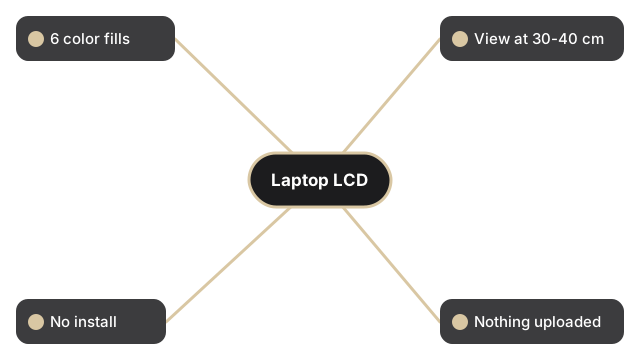
Clique em um dos seis botoes de cor - vermelho, verde, azul, preto, branco ou amarelo - para preencher a tela do notebook com aquela cor. Procure pixels presos na cor errada, manchas escuras perto das bordas ou brilho irregular. A pagina informa o tamanho e a resolucao da tela.

Last reviewed: 2026-06-29

PropriedadeValor
Cores6 em tela cheia (vermelho, verde, azul, preto, branco, amarelo)
Distancia recomendada50-70 cm (monitor); 30-40 cm (notebook)
InstalacaoNenhuma - roda no navegador
PrivacidadeNada e enviado; a pagina apenas preenche a tela
FerramentaTeste de tela LCD

Cada cor expoe um defeito diferente em um painel de notebook. O preto revela pixels presos acesos que nunca se desligam; o branco revela pixels mortos escuros e poeira na superficie; vermelho, verde e azul isolam cada um um canal de subpixel; o amarelo estressa os subpixels vermelho e verde juntos. Marque a caixa "Test in full screen mode" antes de escolher uma cor para que a barra de ferramentas do navegador nao esconda um defeito perto da borda superior. Percorra todas as seis cores lentamente e incline um pouco a tampa para verificar se o brilho permanece uniforme em toda a tela do notebook.

Why trust these tools

  • Ten-plus years of web tooling. The freetoolonline editorial team has shipped browser-based utilities since 2015. The goal has never changed: get you to a working output fast, without an install.
  • No install, no sign-up. Open a tool and get a working output in seconds - nothing to download and no account to create. Tools that need heavy processing run it on our service, so even a low-powered machine gets the job done.
  • Analytics stops at the page view. We measure which pages get visited, not what you type or upload inside a tool. There is nothing to sign in to and no profile is attached to your input.
  • Open-source core components. The processing engines underneath (libheif, libde265, pdf-lib, terser, clean-css, ffmpeg.wasm, and others) are public and audit-able. We link to each one in its tool page's footer.
  • Free, with or without ads. All tools are fully functional without sign-up. The Disable Ads button in the header is always available if you need a distraction-free run.

Related tools:

  • Camera Test - Free camera test online: live preview, resolution readout, switch front and back camera, capture
  • Keyboard Test - Keyboard test online - press each key to highlight it, spot non-working keys, and verify Num Lock,
  • LCD Test - Test your LCD screen for dead pixels, stuck pixels, and backlight bleed.
  • Microphone Test - Free microphone test online: live spectrum meter, mic permission check, and optional speaker
  • Device Test Tools - Test camera, microphone, keyboard, and LCD online before meetings.
  • All Guides - Browser Tool Library - Free, in-browser guides on compressing files, converting HEIC, testing screens, hashing, PDFs, and
  • Screen Recorder - Record your screen, camera, or microphone in the browser, blur faces while recording, and download
  • QR Code Generator - QR code generator online - create a scannable QR for a URL, short text, contact vCard, or Wi-Fi
  • All Video Converter - Upload a video, trim with start/duration sliders, convert to MP4, WebM, MOV, MP3, or WAV.
  • UnZip File, Extract, Decompress Zip - Extract files from a ZIP online - open archives, browse contents, and download individual files in
  • Compress, Zip File and Folder - Compress folders and files into a ZIP archive online.
  • Video And SlideShow Maker - Video maker online - build an MP4 slideshow from a sequence of images with optional audio.

Tags: #device-test, #guide, #lcd, #test, #laptop

Related guides: