Initializing, please wait a moment

Teste de Tela LCD

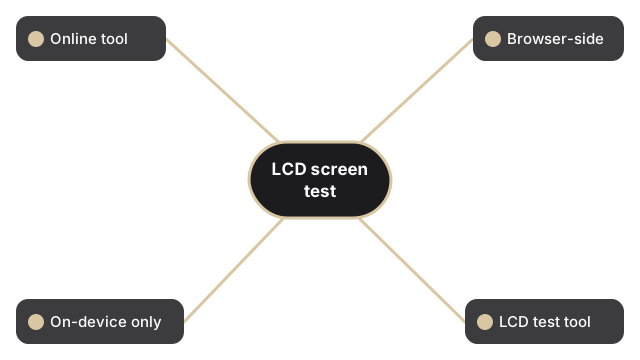
Execute um teste de tela LCD gratuito no navegador em menos de um minuto. Escolha um bloco de cor - vermelho, verde, azul, preto, branco ou amarelo - e a pagina pinta esse preenchimento solido em toda a viewport para que um pixel preso, um pixel morto ou vazamento de luz se destaquem contra um campo uniforme.

Last reviewed: 2026-06-29

PropriedadeValor
FormatoFerramenta online, sem instalacao
VelocidadeNo navegador; saida em segundos
PrivacidadeOs arquivos ficam no dispositivo
Ferramenta de implementacaohttps://freetoolonline.com/device-test-tools/lcd-test.html

Abaixo dos blocos de cor a pagina reporta tres numeros ao vivo sobre seu display: a viewport ativa, a resolucao de tela que o sistema operacional anuncia, e a resolucao nativa que multiplica essa resolucao pela razao de pixel do seu dispositivo. Confirme que o numero nativo bate com a folha de especificacoes do seu laptop ou monitor antes de sinalizar um ponto suspeito, porque em um painel hi-DPI um pixel CSS fica na frente de varios sub-pixels fisicos, e um sub-pixel preso pode se esconder entre eles. A leitura atualiza a cada carregamento, entao uma nova verificacao esta a um reload de distancia.

Para determinar primeiro se o seu ecra e LED ou LCD (o que muda qual padrao de cor e mais util para revelar defeitos), veja LED test vs LCD test - qual se aplica ao seu ecra.

Why trust these tools

  • Ten-plus years of web tooling. The freetoolonline editorial team has shipped browser-based utilities since 2015. The goal has never changed: get you to a working output fast, without an install.
  • No install, no sign-up. Open a tool and get a working output in seconds - nothing to download and no account to create. Tools that need heavy processing run it on our service, so even a low-powered machine gets the job done.
  • Analytics stops at the page view. We measure which pages get visited, not what you type or upload inside a tool. There is nothing to sign in to and no profile is attached to your input.
  • Open-source core components. The processing engines underneath (libheif, libde265, pdf-lib, terser, clean-css, ffmpeg.wasm, and others) are public and audit-able. We link to each one in its tool page's footer.
  • Free, with or without ads. All tools are fully functional without sign-up. The Disable Ads button in the header is always available if you need a distraction-free run.

Related tools:

  • Camera Test - Free camera test online: live preview, resolution readout, switch front and back camera, capture
  • Keyboard Test - Keyboard test online - press each key to highlight it, spot non-working keys, and verify Num Lock,
  • LCD Test - Test your LCD screen for dead pixels, stuck pixels, and backlight bleed.
  • Microphone Test - Free microphone test online: live spectrum meter, mic permission check, and optional speaker
  • Device Test Tools - Test camera, microphone, keyboard, and LCD online before meetings.
  • All Guides - Browser Tool Library - Free, in-browser guides on compressing files, converting HEIC, testing screens, hashing, PDFs, and
  • Screen Recorder - Record your screen, camera, or microphone in the browser, blur faces while recording, and download
  • GPU Test - WebGL Benchmark & Info - GPU Test - WebGL Benchmark & Info - See what your browser's graphics stack can do - WebGL 1 and 2
  • Regex Tester Online - Regex Tester Online - Test a regular expression against your own sample text and watch every match
  • Linux Online - Run Linux in Your Browser (Terminal & Desktop) - Linux Online - Run Linux in Your Browser (Terminal & Desktop) - A real Linux command line - and a

Tags: #device-test, #guide, #lcd, #screen, #test

Related guides: