Initializing, please wait a moment

Teste de LED

Teste de LED na maioria das buscas significa um teste de tela para verificar pixels mortos ou presos. A ferramenta certa e o teste LCD / OLED / LED em https://freetoolonline.com/device-test-tools/lcd-test.html; ela pinta 6 cores de borda a borda para que sub-pixels defeituosos se destaquem contra um campo uniforme.

PropriedadeValor
FormatoFerramenta online, sem instalacao
VelocidadeNo navegador; saida em segundos
PrivacidadeOs arquivos ficam no dispositivo (sem upload)
Cores de teste6 (vermelho, verde, azul, preto, branco, amarelo)
Tipos de painelLCD, OLED e LED (3 tecnologias)
Ferramenta de implementacaohttps://freetoolonline.com/device-test-tools/lcd-test.html
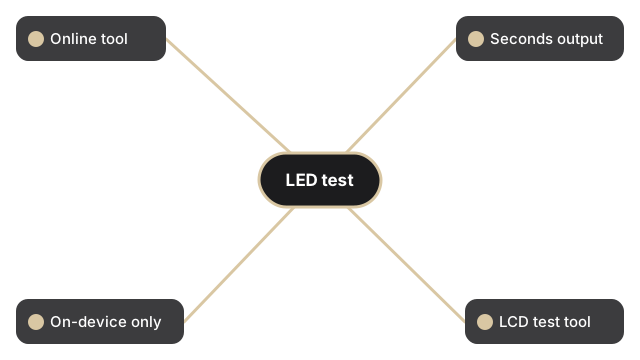
Veja quatro fatos do teste LED: formato online, saida em segundos, privacidade no dispositivo e ferramenta LCD.
Ferramenta online, saida em segundos, fica no dispositivo, link para teste LCD.

O teste em si e um toque por cor. Clique em um bloco de cor (vermelho, verde, azul, preto, branco ou amarelo) e o navegador pinta a cor escolhida em toda a viewport, com um toggle opcional de tela cheia em telas de 821 pixels de largura ou mais para que a cor passe a chrome do navegador e a barra de enderecos.

Qual cor o teste LED usa para cada defeito

As cores do teste LED visam diferentes classes de defeito no painel LED. Preto revela pixels stuck-bright - pixels presos em pleno brilho em um canal aparecem como pontos coloridos contra fundo preto. Branco revela pixels mortos escuros e poeira na superficie do painel. Vermelho, verde e azul isolam falhas de subpixel em seu proprio canal: um subpixel vermelho morto aparece como uma mancha ciano em um campo vermelho. Amarelo estressa tanto os subpixels vermelhos quanto os verdes ao mesmo tempo, detectando falhas que passam em verificacoes de um unico canal.

Testes relacionados

Guias de teste relacionados para pontos de tela sensivel ao toque e inspecao de pixels mortos antes de devolver um monitor:

como testar uma tela sensivel ao toque, e como testar pixels mortos antes de devolver um monitor.

Why trust these tools

  • Ten-plus years of web tooling. The freetoolonline editorial team has shipped browser-based utilities since 2015. The goal has never changed: get you to a working output fast, without an install.
  • No install, no sign-up. Open a tool and get a working output in seconds - nothing to download and no account to create. Tools that need heavy processing run it on our service, so even a low-powered machine gets the job done.
  • Analytics stops at the page view. We measure which pages get visited, not what you type or upload inside a tool. There is nothing to sign in to and no profile is attached to your input.
  • Open-source core components. The processing engines underneath (libheif, libde265, pdf-lib, terser, clean-css, ffmpeg.wasm, and others) are public and audit-able. We link to each one in its tool page's footer.
  • Free, with or without ads. All tools are fully functional without sign-up. The Disable Ads button in the header is always available if you need a distraction-free run.

Related tools:

  • QR Code Generator - QR code generator online - create a scannable QR for a URL, short text, contact vCard, or Wi-Fi
  • All Video Converter - Upload a video, trim with start/duration sliders, convert to MP4, WebM, MOV, MP3, or WAV.
  • UnZip File, Extract, Decompress Zip - Extract files from a ZIP online - open archives, browse contents, and download individual files in
  • Compress, Zip File and Folder - Compress folders and files into a ZIP archive online.
  • Camera Test - Free camera test online: live preview, resolution readout, switch front and back camera, capture
  • Keyboard Test - Keyboard test online - press each key to highlight it, spot non-working keys, and verify Num Lock,
  • Video And SlideShow Maker - Video maker online - build an MP4 slideshow from a sequence of images with optional audio.
  • Device Test Tools - Test camera, microphone, keyboard, and LCD online before meetings.
  • All Guides - Browser Tool Library - Free, in-browser guides on compressing files, converting HEIC, testing screens, hashing, PDFs, and
  • Regex Tester Online - Regex Tester Online - Test a regular expression against your own sample text and watch every match
  • Code Formatter Beautifier - Beautify JavaScript, CSS, HTML, and JSON in your browser.
  • Random Number Generator - Generate a fair random number between a minimum and maximum you set, right in your browser - no

Related guides:

Related news: