Como Verificar a Qualidade da Câmera do Seu Telefone
Teste 1 - a câmera abre
O primeiro modo de falha e "câmera não aparece no navegador". Duas causas comuns: o navegador não tem permissão de câmera, ou outro app está segurando a câmera (feche Zoom, Teams, OBS ou o aplicativo Câmera nativo que possa estar usando). Para um guia passo a passo de concessao de permissão, consulte permissão de teste de câmera bloqueada - como permitir.
Teste 2 - resolução bate com a especificação
Especificações de câmera de telefone são anunciadas em megapixels. Um sensor de 12 MP produz fotos 4032x3024. A página de teste mostra a resolução real que o navegador recebe.
O número de megapixels anunciado é quase sempre para a câmara traseira. As câmeras frontais da maioria dos telemóveis reportam 8-32 MP ao navegador e entregam uma pré-visualização de 1080p ou 4K - suficiente para videochamadas, mas muito abaixo do sensor traseiro principal. Use o passo de troca de câmara no teste para verificar ambas as lentes: a resolução mostrada para a câmara frontal é o que o seu interlocutor realmente vê na videochamada.
Teste 3 - foco em texto
Teste 3 - foco em texto em Como verificar a qualidade da câmera do telefone: abra uma página impressa, toque para focar e julgue se as letras ficam nitidas a distância de braço antes de uma videochamada.
Para uma rotina completa pré-chamada, veja checklist de teste de dispositivo para trabalho remoto. Para uma visão geral rápida de aprovado/reprovado sem as etapas individuais, consulte verificação de câmera.
Falha de hardware vs. falha de software - como identificar
Distinguir hardware de software e a pergunta mais importante após os cinco testes. Uma mancha fixa no mesmo canto de todas as fotos, independente de como o telefone e segurado, está dentro do módulo de câmera - caso de garantia, não de limpeza. Autofoco que falha em toda superfície e condição de luz indica motor defeituoso ou elemento de lente danificado. Granulado que sumiu após atualização do sistema, ou falha de foco resolvida ao reiniciar o app, aponta para problema no pipeline que o fabricante pode corrigir por software. Pixel-binning e fonte comum de confusão: um telefone de 48 MP normalmente entrega 12 MP (4000x3000) pela API de câmera do navegador porque quatro pixels físicos se combinam em um para melhorar a sensibilidade com pouca luz.
Megapixels vs resolução da API de câmera do navegador
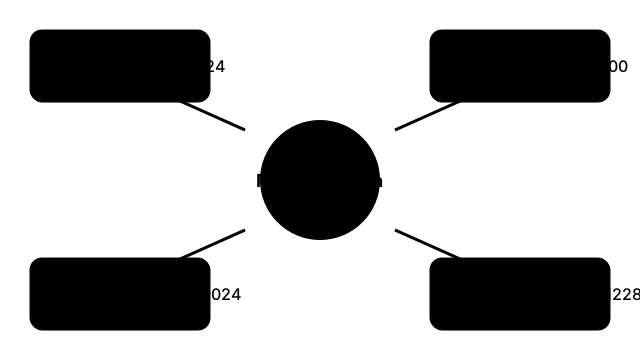
| Megapixels anunciados | Dimensoes nativas | Saída típica da API do navegador |
|---|---|---|
| 12 MP | 4032 x 3024 | 4032 x 3024 (sensor completo) |
| 48 MP | 8000 x 6000 | 4000 x 3000 (pixel-binning 4-para-1) |
| 108 MP | 12032 x 9024 | 3008 x 2256 (pixel-binning 9-para-1) |
| 200 MP | 16384 x 12288 | 4096 x 3072 (pixel-binning 16-para-1) |
Megapixels vs resolução da API de câmera do navegador em Como verificar a qualidade da câmera do telefone: megapixels de marketing não são o tamanho de preview que getUserMedia entrega no navegador.
FreetoolOnline editorial teamWhy trust these tools
- Ten-plus years of web tooling. The freetoolonline editorial team has shipped browser-based utilities since 2015. The goal has never changed: get you to a working output fast, without an install.
- No install, no sign-up. Open a tool and get a working output in seconds - nothing to download and no account to create. Tools that need heavy processing run it on our service, so even a low-powered machine gets the job done.
- Analytics stops at the page view. We measure which pages get visited, not what you type or upload inside a tool. There is nothing to sign in to and no profile is attached to your input.
- Open-source core components. The processing engines underneath (libheif, libde265, pdf-lib, terser, clean-css, ffmpeg.wasm, and others) are public and audit-able. We link to each one in its tool page's footer.
- Free, with or without ads. All tools are fully functional without sign-up. The Disable Ads button in the header is always available if you need a distraction-free run.