7-Zip CVE-2026-14266 XZ overflow - update to 26.02
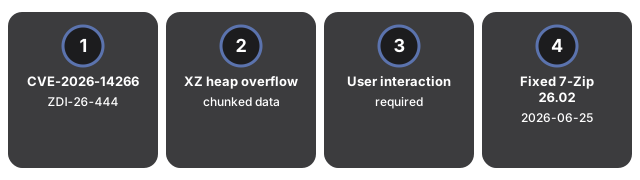
On 15 July 2026 the Zero Day Initiative published ZDI-26-444 for CVE-2026-14266: crafted XZ chunked data can overflow a heap buffer in 7-Zip and run code if you open a malicious archive. The fix already shipped in 7-Zip 26.02 on 25 June 2026. Because 7-Zip has no auto-update, you must install the update yourself.
Last reviewed: 2026-07-21
FreeToolOnline editorial teamWhat happened
ZDI advisory ZDI-26-444 (ZDI-CAN-30169), credited to Landon Peng of Lunbun LLC, describes a heap-based buffer overflow while 7-Zip processes XZ chunked data. User interaction is required: the victim must open a malicious file or visit a page that feeds crafted XZ input. ZDI states the issue is fixed in 7-Zip 26.02. Independent coverage from BleepingComputer matches that timeline - 26.02 released 25 June 2026, public advisory on 15 July 2026 - and notes 7-Zip does not update itself. The vendor history file at 7-zip.org lists 26.02 on 2026-06-25 with "Some bugs and vulnerabilities were fixed" without naming the CVE; ZDI is the source that ties the fix to CVE-2026-14266.
| Detail | Value |
|---|---|
| Identifier | CVE-2026-14266 (ZDI-26-444) |
| Flaw type | Heap-based buffer overflow in XZ chunked-data handling |
| User interaction | Required (open crafted archive / malicious page) |
| Fixed version | 7-Zip 26.02 (2026-06-25) |
| Public advisory | 2026-07-15 (ZDI coordinated disclosure) |
| Related but separate | CVE-2026-58052 MotW bypass on RAR5 - still a distinct issue on 26.02 |
Do not confuse this with the earlier NTFS-handler overflow CVE-2026-48095 (fixed in 26.01 per the vendor history) or with the RAR5 Mark-of-the-Web bypass tracked as CVE-2026-58052. Updating to 26.02 closes the XZ overflow path ZDI described; it does not automatically mean every other 7-Zip advisory is gone.
Why it matters for everyday files
XZ shows up inside software packages, backup streams, and nested archives people open without thinking twice. A heap overflow during decode turns a routine "extract this download" click into a code-execution risk in the 7-Zip process. The practical gap is operational: many machines stay on older 7-Zip builds for months because nothing prompts an upgrade. Email and chat attachments that look like ordinary .xz / .7z / .tar.xz payloads are exactly the habit this site's archive tools are built around - peek first, then decide whether a desktop extract is worth it.
What to do with your files right now
Concrete steps that close the XZ overflow risk:
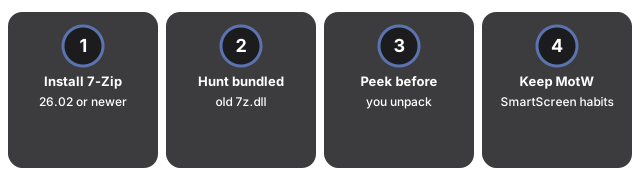
- Install 7-Zip 26.02 or newer from the official site. Download only from 7-zip.org (or the vendor GitHub releases mirror). Check Help - About so the build string shows 26.02 or later.
- Hunt for bundled 7z.dll copies. Other apps sometimes ship an old decoder that your OS installer never replaces. Prefer those apps' own updates when they lag behind 26.02.
- Peek before you unpack untrusted archives. Use the unzip file tool and the extract ZIP RAR 7Z guide to see what is inside before you extract onto your desktop with a local 7-Zip build.
- Keep MotW and SmartScreen habits. CVE-2026-14266 is about XZ decode memory safety; a separate RAR5 MotW bypass can still matter on Windows. Treat archives from unknown senders as hostile until proven otherwise.